Digital Document Management for Businesses: Complete Guide
Learn how digital document management helps businesses organize, secure, access, and protect important files while improving productivity and compliance.
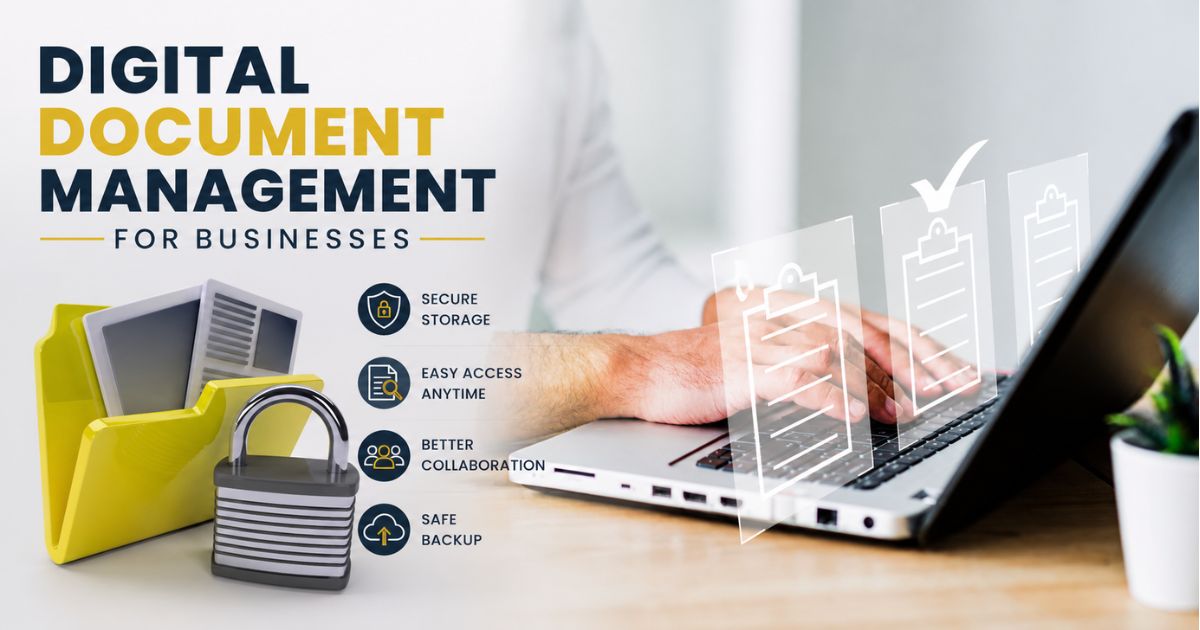
Modern businesses generate thousands of documents every year. Contracts, invoices, receipts, employee records, tax documents, legal agreements, vendor information, and compliance paperwork can quickly become difficult to manage when stored across multiple locations.
Digital document management for businesses is the process of organizing, storing, securing, and accessing business documents electronically. Instead of relying on filing cabinets, paper folders, or scattered computer files, businesses can create a centralized system where important documents are stored securely and can be accessed whenever needed.
A digital document management system helps companies maintain better control over their information while reducing the risks associated with lost paperwork, unauthorized access, and inefficient document retrieval.
Whether you run a small startup, a growing company, or a large enterprise, implementing a structured document management strategy can improve productivity and support long-term business growth.
Businesses that use digital document management systems often experience faster document retrieval, improved collaboration, enhanced security, and better compliance with legal and regulatory requirements.
For organizations looking to protect critical business records, a secure digital vault can serve as a reliable solution for storing and managing documents in one centralized location.
You can also explore our Business Vault resource center for additional guidance on protecting and organizing business records.
Why Traditional Document Storage Creates Problems
Many businesses still rely on paper files or poorly organized digital folders. While this approach may work initially, it often becomes inefficient as the company grows.
Common challenges include:
-
Difficulty locating important documents
-
Duplicate files stored in multiple locations
-
Increased risk of document loss
-
Limited access for remote teams
-
Security vulnerabilities
-
Compliance and audit challenges
-
Time wasted searching for information
When employees spend valuable hours looking for documents, productivity decreases and operational costs increase.
A structured digital document management solution eliminates these problems by creating a consistent framework for document storage, organization, and retrieval.
Key Components of an Effective Digital Document Management System
A successful digital document management strategy involves more than simply scanning paper documents. Businesses need a structured system that supports organization, security, accessibility, and long-term preservation.
Centralized Document Storage
Centralized storage allows all business documents to be maintained in a single secure location. Employees no longer need to search through emails, desktops, shared drives, or paper files to find information.
A centralized repository helps ensure that everyone accesses the latest version of a document while reducing duplication and confusion.
Document Categorization and Organization
Organizing documents into logical categories makes information easier to locate and manage.
Common categories may include:
-
Contracts and agreements
-
Financial records
-
Invoices and receipts
-
Employee documentation
-
Tax records
-
Vendor documents
-
Legal paperwork
-
Compliance records
Proper categorization improves efficiency and reduces the likelihood of misplaced files.
Search and Retrieval Features
One of the biggest advantages of digital document management is the ability to locate documents instantly.
Advanced search features allow users to find files using keywords, dates, categories, document names, or metadata.
This capability can save significant time compared to manually searching through physical filing systems.
Access Control and Permissions
Not every employee should have access to every business document.
Role-based permissions allow organizations to control who can view, edit, download, or share specific files.
This helps protect confidential information and strengthens overall business security.
Version Control
Version control ensures that businesses maintain accurate records of document changes.
Teams can track edits, review document history, and restore previous versions when necessary.
This feature is especially useful when multiple employees collaborate on contracts, policies, and operational documents.
If your business frequently manages agreements and legal records, our guide on Contract Management Made Easy provides additional best practices.
Benefits of Digital Document Management for Businesses
Implementing a digital document management system offers significant advantages for businesses of all sizes. Beyond simple organization, it helps improve efficiency, security, compliance, and overall business operations.
Improved Productivity
Employees spend less time searching for documents when files are stored in an organized digital system. Instead of digging through paper records or multiple folders, team members can quickly locate the information they need.
This increased efficiency allows employees to focus on important tasks that contribute to business growth and customer satisfaction.
Enhanced Document Security
Business documents often contain sensitive information, including financial records, employee details, customer data, and legal agreements.
Digital document management systems provide multiple layers of protection such as:
-
Password protection
-
Role-based access controls
-
Encryption
-
Activity tracking
-
Secure cloud storage
-
Automatic backups
These security measures help reduce the risk of unauthorized access and data breaches.
Better Collaboration Across Teams
Modern businesses often operate with remote employees, hybrid teams, and multiple office locations. Digital document management enables team members to access approved documents from anywhere.
Employees can collaborate on projects, review files, and share information without relying on physical paperwork.
This flexibility improves communication and helps teams work more effectively.
Reduced Physical Storage Costs
Paper-based storage requires filing cabinets, office space, storage rooms, and ongoing maintenance. As document volume increases, these costs continue to grow.
Digital storage significantly reduces the need for physical space while making documents easier to manage.
Businesses can also minimize printing expenses and support environmentally responsible practices.
Faster Compliance and Audit Preparation
Many businesses must comply with legal, financial, tax, and industry-specific regulations.
A digital document management system simplifies compliance by maintaining organized records that can be accessed quickly during audits, inspections, or regulatory reviews.
Accurate recordkeeping helps businesses avoid penalties and demonstrate compliance when required.
Business Continuity Protection
Unexpected events such as fires, floods, hardware failures, theft, or cyberattacks can result in document loss.
Digital document management systems with backup and recovery features help businesses protect critical information and continue operations during emergencies.
Organizations that prioritize business continuity are better prepared to recover from disruptions and maintain customer trust.
Businesses should also implement a backup strategy for critical records. Learn more in our guide on Backup Business Documents Securely.
Best Practices for Implementing Digital Document Management
Creating an effective digital document management system requires planning and consistent processes. Businesses should establish clear guidelines to ensure documents remain organized, secure, and accessible.
Create a Document Classification Structure
Develop a standardized folder structure that reflects your business operations.
Examples may include:
-
Finance
-
Human Resources
-
Legal
-
Sales
-
Operations
-
Marketing
-
Customer Records
-
Vendor Management
Consistent categorization makes document retrieval faster and more efficient.
Establish Naming Conventions
Standardized file naming conventions help employees identify documents quickly.
For example:
Invoice_ClientName_2026_001.pdf
Contract_SupplierName_June2026.pdf
Employee_Record_JohnSmith_2026.pdf
Consistent naming reduces confusion and improves organization across the business.
Define Access Permissions
Not all documents should be accessible to every employee.
Businesses should establish permission levels based on roles and responsibilities. This helps protect confidential information while ensuring employees have access to the files necessary for their work.
Implement Regular Backups
Backup procedures are a critical component of document management.
Businesses should maintain multiple backup copies and test recovery procedures regularly.
Cloud-based backups combined with offline backup copies provide additional protection against data loss.
Train Employees
Even the most advanced document management system will fail if employees do not follow established processes.
Provide training on:
-
Document organization standards
-
Security policies
-
File naming conventions
-
Access procedures
-
Backup responsibilities
-
Data protection requirements
Regular training helps maintain consistency and reduces operational risks.
Review and Update Processes Regularly
Business needs change over time. Organizations should periodically review their document management policies to ensure they remain effective.
Regular audits can identify outdated documents, security gaps, duplicate records, and opportunities for improvement.
Financial records are among the most frequently accessed business documents. Proper organization of invoices, receipts, payment confirmations, and expense records helps improve accounting accuracy and simplifies tax preparation. You can learn more in our detailed guide on How to Store Invoices & Receipts.
Conclusion
Digital document management for businesses is no longer optional in today's fast-moving business environment. Organizations need secure, efficient, and scalable systems to manage growing volumes of information.
By implementing structured document organization, strong security controls, reliable backup procedures, and centralized storage, businesses can improve productivity, strengthen compliance, and protect critical information.
A well-managed digital document system supports long-term business success while reducing the risks associated with lost, damaged, or poorly organized records.
Whether you are managing contracts, invoices, employee records, or financial documents, investing in digital document management can provide lasting benefits for your organization.
Before implementing a digital document management system, businesses should identify which records are most important to store and organize. Essential files such as contracts, tax records, employee information, financial statements, licenses, and compliance documents should always be included in your document management strategy. Our guide on Business Documents Every Company Needs explains which records every organization should maintain and protect.
For additional business record management resources, visit our Business Vault hub.Frequently Asked Questions
cmp6hs57y000oc2bxnj5buqzv
Editorial Contributor
Author and technology contributor at NexaLifeVault.
Share this post
Comments (0)
No comments yet. Be the first to comment!