


How to Organize Important Documents Digitally Without Losing Anything
Learn how to organize your important documents digitally in a safe, simple, and stress-free way. From passwords and property papers to medical records and IDs, discover smart strategies to store, manage, and access everything securely without the fear of losing valuable information.
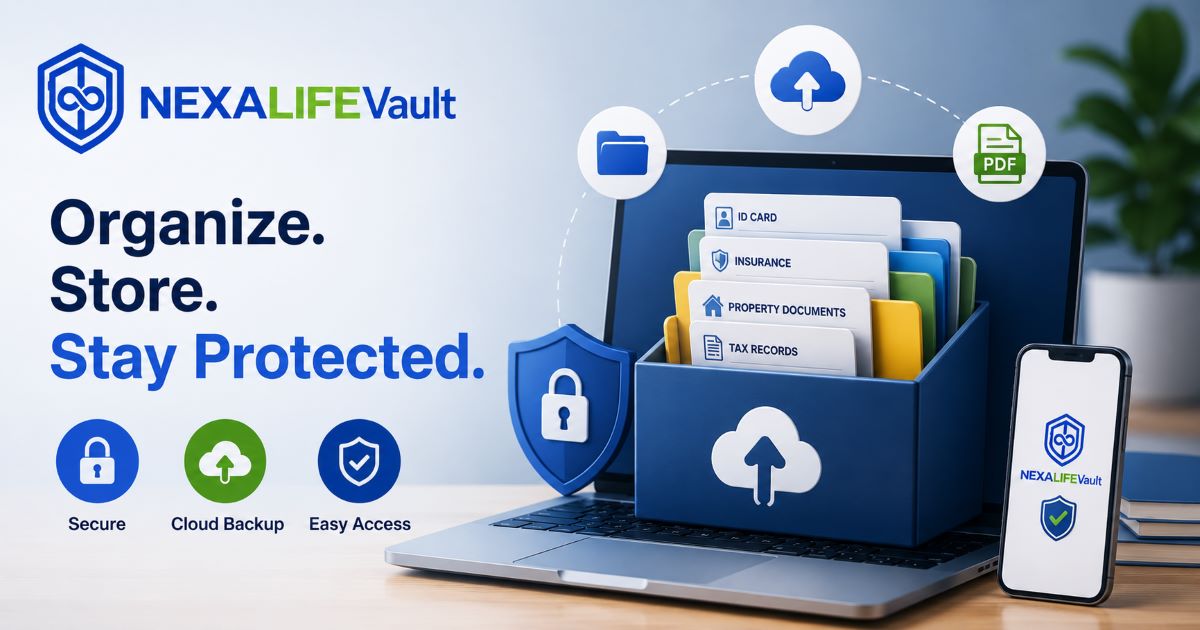
In today’s fast-moving digital world, keeping important documents organized is no longer optional — it’s essential. From Aadhaar cards and passports to insurance policies, medical records, tax papers, passwords, and property documents, almost every important file now exists in digital form.
But while digital storage makes life easier, poor organization can quickly create chaos. Files get scattered across phones, laptops, WhatsApp chats, emails, and random folders. Over time, documents become difficult to find, duplicates pile up, and important files may even get deleted accidentally.
During emergencies, this disorganization can become stressful and costly.
The good news is that creating a secure and well-organized digital document system is much simpler than most people think. With the right structure, backup methods, and security practices, you can keep every important file safe, accessible, and easy to manage.
This guide will help you organize your digital documents efficiently — without losing anything important.
Why Digital Document Organization Matters
A proper digital document system saves time, reduces stress, and protects your valuable information.
Benefits of Organizing Documents Digitally
Instant access anytime and anywhere
Faster file searching during emergencies
Better security than paper storage
Protection against fire, theft, or water damage
Easy sharing with family members or professionals
Reduced physical clutter at home or office
Safer long-term storage for important records
Whether you’re managing personal records, family paperwork, or business documents, a good system brings peace of mind.
Step 1: Gather All Important Documents
Before organizing anything, collect all your important documents in one place — both physical and digital.
Important Documents to Include
Personal Identification
Aadhaar Card
PAN Card
Passport
Driving License
Birth Certificate
Financial Documents
Bank statements
Tax records
Investment papers
Insurance policies
Loan documents
Property & Legal Records
Property papers
Rental agreements
Wills
Legal certificates
Medical Records
Prescriptions
Test reports
Vaccination certificates
Health insurance details
Passwords & Digital Access
Password manager backups
Recovery codes
Emergency login information
Creating a checklist helps ensure nothing important gets missed.
Step 2: Scan Physical Documents Properly
If your documents are still on paper, convert them into high-quality digital files.
Tips for Better Document Scanning
Use a reliable scanner app or flatbed scanner
Ensure good lighting and clear visibility
Avoid blurry or cropped images
Save documents in PDF format
Use high resolution for readability
One of the biggest mistakes people make is leaving files with random names like:
IMG12345.pdf
Instead, rename files immediately after scanning.
Better File Name Examples
Passport_JiyaPatidar_2026.pdf
InsurancePolicy_FamilyHealth.pdf
PropertyAgreement_IndoreFlat.pdf
Clear file names make searching much faster later.
Step 3: Create a Simple Folder Structure
A clean folder system is the foundation of digital organization.
Without proper folders, files become messy and difficult to locate.
Example Folder Structure
Personal Documents
IDs
Certificates
Education
Financial
Banking
Taxes
Investments
Medical
Reports
Prescriptions
Insurance
Property
Land Papers
Agreements
Utility Bills
Electricity
Internet
Mobile
Emergency Information
Password backups
Emergency contacts
Legal documents
Keep your folder structure simple and logical. Too many unnecessary folders can become confusing over time.
Step 4: Use Cloud Storage for Safety
Saving important files on only one device is risky. Phones can be lost, laptops can crash, and hard drives can fail unexpectedly.
Cloud storage provides extra protection and easy accessibility.
Benefits of Cloud Storage
Automatic backup
Access from multiple devices
File recovery options
Easy document sharing
Reduced risk of permanent data loss
Always enable two-factor authentication (2FA) on your cloud accounts for added security.
Step 5: Follow the 3-2-1 Backup Rule
Backups are essential for protecting important documents.
A simple and effective strategy is the “3-2-1 Backup Rule.”
The Rule Explained
Keep 3 copies of important files
Store them on 2 different devices
Keep 1 copy in secure cloud storage
Example Setup
Copy on your laptop
Copy on an external hard drive
Backup in cloud storage
This method greatly reduces the chances of losing everything due to accidental deletion, device failure, or cyber threats.
Step 6: Protect Documents with Strong Security
Digital organization is incomplete without proper security.
Your personal documents contain sensitive information that must be protected carefully.
Essential Security Tips
Use strong and unique passwords
Enable two-factor authentication
Avoid sharing confidential files openly
Encrypt highly sensitive documents
Keep devices updated regularly
Use a trusted password manager
Never store passwords in plain text files or unsecured notes.
Step 7: Organize Files by Date
Adding dates to file names helps track updated versions easily.
Examples
TaxReturn_2025.pdf
MedicalReport_Jan2026.pdf
InsuranceRenewal_March2026.pdf
This prevents confusion between old and updated files.
Step 8: Remove Duplicate and Unnecessary Files
Over time, duplicate files create clutter and confusion.
Every few months, review your digital storage and clean unnecessary files.
What to Remove
Blurry scans
Duplicate copies
Outdated versions
Unused downloads
Temporary documents
A cleaner system makes searching faster and management easier.
Step 9: Create an Emergency Access Plan
During emergencies, family members may need access to important documents quickly.
Preparing emergency access in advance can save valuable time.
Include These Essentials
Emergency contact information
Shared access instructions
Secure password recovery methods
Important account details
Backup recovery information
Make sure this information is stored securely and shared only with trusted people.
Step 10: Review and Update Regularly
Digital organization is not a one-time task.
Documents change regularly, and your system should stay updated.
Set a Reminder Every Few Months To:
Add new documents
Remove expired files
Check backup systems
Update passwords
Improve folder organization
Regular maintenance keeps your digital storage reliable and stress-free.
Common Mistakes to Avoid
Saving Files Randomly
Without proper folders, documents become difficult to locate later.
Using Weak Passwords
Sensitive information requires strong protection.
Storing Everything on One Device
Single-device storage increases the risk of permanent data loss.
Ignoring Backups
Even cloud services can fail occasionally.
Poor File Naming
Random file names create confusion during emergencies.
Final Thoughts
Organizing important documents digitally doesn’t need to be complicated. With a simple folder structure, proper backups, secure storage, and regular maintenance, you can build a reliable system that keeps your valuable information safe for years.
The real goal is not just storage — it’s peace of mind.
When your documents are properly organized, you always know where to find them, your family can access important information during emergencies, and you never have to panic about losing critical files again.
Start small, stay consistent, and gradually create a digital document system that works perfectly for your personal and family needs.
Frequently Asked Questions
cmp6hs57y000oc2bxnj5buqzv
Editorial Contributor
Author and technology contributor at NexaLifeVault.
Share this post
Comments (0)
No comments yet. Be the first to comment!