How to Organize Job Documents: A Complete Career Records Guide
Learn how to organize job documents with practical filing systems, secure digital storage, cloud backups, and document management strategies for every stage of your career.
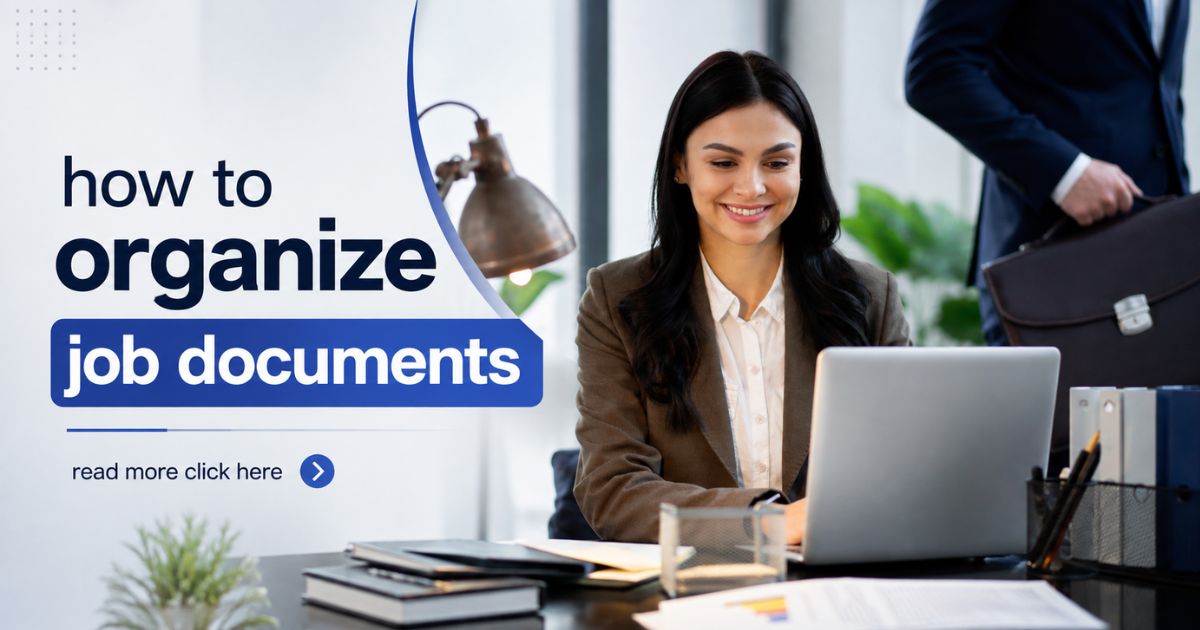
Your career generates a wide range of important documents, from resumes and employment contracts to salary slips, performance reviews, and professional certifications. Keeping these records organized makes it easier to apply for new jobs, complete employment verification, access financial information, and prepare for future career opportunities.
Many professionals store documents across email accounts, laptops, cloud storage, and paper files. Over time, this scattered approach makes it difficult to locate important records when they're needed most. Creating an organized document management system helps you keep every career-related file secure, accessible, and up to date.
In this guide, you'll learn how to organize job documents using practical filing methods, digital storage, secure backups, and proven organization strategies that support your career throughout every stage of professional growth.
Benefits of Organizing Job Documents
A structured document system helps you save time, improve productivity, and protect valuable employment records. Whether you're preparing for an interview or organizing years of work history, a consistent filing system keeps everything within easy reach.
Some of the biggest benefits include:
- Quick access to important employment records.
- Faster job application preparation.
- Simplified background verification.
- Better protection for confidential information.
- Reduced duplicate and outdated files.
- Reliable digital backups.
- Easier long-term career management.
Physical vs Digital Job Document Organization
The most effective document management system combines physical storage with digital organization. Original documents should be stored safely, while digital copies provide convenient access from multiple devices.
A balanced approach allows you to:
- Protect original employment records.
- Access documents remotely.
- Share files securely with employers.
- Recover records if physical copies are lost.
- Maintain updated versions of important documents.
If you're creating your complete professional document system, our Important Career Documents guide explains which records every working professional should maintain.
Who Should Organize Job Documents?
Every working professional can benefit from an organized document system, regardless of experience level or industry.
This guide is especially helpful for:
- Students entering the workforce.
- Recent graduates.
- Corporate professionals.
- Freelancers and consultants.
- Remote employees.
- Government employees.
- Business owners.
- Professionals planning retirement.
Organizing your job documents today helps you stay prepared for interviews, promotions, career transitions, financial applications, and retirement planning in the future.
What You'll Learn in This Guide
We'll cover practical methods for organizing employment records, creating logical folder structures, naming files consistently, securing confidential information, maintaining backups, and managing both physical and digital career documents. These strategies will help you build a document system that's easy to maintain and grows with your career.
Essential Job Documents You Should Organize
An effective document management system begins with knowing which records are worth keeping. Throughout your career, you'll collect documents that verify your qualifications, employment history, financial information, and professional achievements. Organizing these records into logical categories makes them easier to find whenever you need them.
Resume and Cover Letters
Your resume is one of your most frequently used career documents. Keep a master resume along with role-specific versions that can be quickly customized for different job opportunities.
Store:
- Master resume.
- Role-specific resumes.
- Cover letter templates.
- Professional portfolio.
Our Resume & Certificate Storage Tips guide explains how to securely store multiple resume versions and supporting documents.
Educational Certificates
Your academic qualifications remain valuable throughout your career. Store original certificates safely while maintaining digital copies for everyday use.
Important education records include:
- School certificates.
- College degrees.
- Diplomas.
- Academic transcripts.
- Professional training certificates.
Employment Offer Letters
Every offer letter contains valuable information about your position, salary, joining date, and employment terms. Keep both signed copies and digital backups for future reference.
Maintain records of:
- Offer letters.
- Appointment letters.
- Joining confirmations.
- Employment agreements.
Employment Contracts
Employment contracts define your rights, responsibilities, benefits, and workplace policies. Store signed contracts carefully because they may be needed for legal, financial, or employment verification purposes.
Examples include:
- Employment contracts.
- Consulting agreements.
- Non-disclosure agreements (NDAs).
- Non-compete agreements.
Experience and Relieving Letters
Whenever you leave an employer, collect your experience letter and relieving letter before completing your exit process. Future employers often request these documents during recruitment.
If you're planning a career move, our Job Change Document Checklist explains which employment records you should collect before leaving your current organization.
Salary and Payroll Records
Salary documents help verify your employment history and income. They may also be required for loan applications, rental agreements, visa applications, or tax filing.
Keep organized copies of:
- Monthly salary slips.
- Annual compensation statements.
- Bonus letters.
- Salary revision letters.
Tax Documents
Career-related tax records should be stored alongside your employment documents for easy access during financial planning and tax filing.
Depending on your location, these may include:
- Annual tax statements.
- Income tax forms.
- Tax deduction certificates.
- Payroll tax documents.
Professional Certifications and Licences
Professional certifications demonstrate your expertise and commitment to continuous learning. Organize them separately so you can easily monitor renewal dates and submit proof of qualifications when required.
- Industry certifications.
- Software certifications.
- Professional licences.
- Compliance training certificates.
- Workshop completion certificates.
Performance Reviews and Career Achievements
Performance evaluations and recognition documents can strengthen future job applications and promotion opportunities.
Store copies of:
- Annual performance reviews.
- Promotion letters.
- Achievement certificates.
- Employee awards.
- Recommendation letters.
Keep Everything in One Organized Career Folder
Instead of storing employment records across multiple devices, cloud accounts, and paper folders, create one structured career document system. For a complete overview of every professional record you should maintain, explore our Important Career Documents guide. An organized filing system makes it easier to access important records throughout your career while keeping sensitive information secure.
Best Ways to Organize Job Documents
An organized document system helps you manage your professional records efficiently throughout your career. Whether you're applying for a new position, completing employment verification, or preparing for retirement, a structured filing system ensures important documents are always easy to locate and securely stored.
Create a Logical Folder Structure
Instead of saving every file in one folder, organize your documents into categories based on their purpose. A clear folder hierarchy makes finding specific records much faster.
Your career folders may include:
- Resume & Cover Letters
- Educational Certificates
- Professional Certifications
- Employment Contracts
- Offer & Appointment Letters
- Experience & Relieving Letters
- Salary & Payroll Records
- Tax Documents
- Performance Reviews
- Retirement Documents
This structure keeps your professional records organized as your career grows.
Use Consistent File Naming
A clear naming convention makes documents easier to search and prevents confusion between multiple versions of the same file.
Examples include:
- Resume-Project-Manager-2026.pdf
- Offer-Letter-ABC-Company.pdf
- Experience-Letter-XYZ-Ltd.pdf
- Salary-Slip-March-2026.pdf
- Google-Project-Management-Certificate.pdf
Including dates or version numbers helps identify the latest document at a glance.
Organize Physical Documents Safely
Original documents should always be stored separately from your working copies. Use a document folder or filing cabinet to protect important paperwork from damage.
Good practices include:
- Use labeled document folders.
- Store papers in waterproof sleeves.
- Keep documents flat to avoid damage.
- Separate originals from photocopies.
Create Secure Digital Backups
Every important employment document should have a digital backup. Scanning documents into searchable PDF files makes them easier to organize, search, and share.
Create digital copies of:
- Resume.
- Certificates.
- Employment contracts.
- Salary records.
- Experience letters.
- Tax documents.
To securely manage digital files, explore our Digital Vault for additional document organization and backup strategies.
Use Trusted Cloud Storage
Cloud storage allows you to access your career documents from multiple devices while protecting them against hardware failure or accidental deletion.
For better security:
- Enable multi-factor authentication.
- Use strong passwords.
- Create separate folders for document categories.
- Review sharing permissions regularly.
Maintain Version Control
Career documents change over time as you receive promotions, complete training, or update your resume. Instead of replacing old files, save updated versions with clear version numbers or dates.
Example:
- Resume-v1.pdf
- Resume-v2.pdf
- Resume-Updated-July-2026.pdf
This approach helps you track changes while ensuring the latest version is always available.
Archive Older Employment Records
Documents from previous employers remain valuable even years later. Rather than deleting them, move them into an archive folder while keeping your active documents separate.
Archive items such as:
- Previous resumes.
- Former employment contracts.
- Old salary slips.
- Past performance reviews.
- Expired certifications.
Review Your Document Library Regularly
Set aside time every few months to review your job documents. Remove duplicate files, update resumes, add new certificates, and verify that your backups are working properly.
If you're building a complete professional document management system, visit our Job Vault to explore additional guides covering career records, employment documents, job changes, and retirement planning.
Best Practices for Organizing Job Documents
Building an organized document system is only the first step. To keep your professional records useful throughout your career, they should be reviewed, updated, and protected regularly. Following a few simple habits can help you manage your documents more efficiently while reducing the risk of losing important information.
Review Your Documents Regularly
Your career records continue to grow with every new job, promotion, certification, and training program. Schedule time every few months to review your files and keep them current.
Regularly update:
- Your latest resume.
- Professional certifications.
- Employment contracts.
- Salary records.
- Performance reviews.
- Training certificates.
Protect Confidential Information
Employment documents often contain sensitive personal and financial information. Protect your files using secure storage methods and avoid sharing confidential records unless absolutely necessary.
Good security practices include:
- Enable multi-factor authentication.
- Use strong, unique passwords.
- Encrypt important documents.
- Lock devices containing career records.
- Share files only with trusted recipients.
Keep Original Documents Separate
Original certificates, signed contracts, and employment letters should be stored safely and used only when official verification is required. Use scanned digital copies for routine sharing whenever possible.
Maintain Multiple Backup Copies
Never depend on a single storage location. Keeping multiple backups ensures your professional records remain available even if one device is lost, damaged, or fails unexpectedly.
A reliable backup strategy includes:
- Primary computer.
- Trusted cloud storage.
- External hard drive.
- Encrypted USB drive.
- Original paper documents.
Archive Older Employment Records
Documents from previous employers may still be required for future verification, retirement planning, or legal purposes. Move older files into a dedicated archive instead of deleting them.
Archive documents such as:
- Previous offer letters.
- Old employment contracts.
- Past salary slips.
- Previous resumes.
- Expired certifications.
Common Job Document Organization Mistakes
- Saving documents in multiple unrelated folders.
- Using unclear file names.
- Keeping only one copy of important records.
- Ignoring regular document updates.
- Deleting previous employment records.
- Sharing confidential files without proper security.
- Not creating digital backups of original documents.
Conclusion
Learning how to organize job documents helps you stay prepared for every stage of your professional journey. A structured filing system makes it easier to retrieve important records, complete employment verification, apply for new opportunities, and protect valuable career information.
By organizing documents into logical categories, maintaining secure digital backups, following consistent file naming conventions, and reviewing your records regularly, you can build a reliable career document management system that grows with your professional success.
Continue strengthening your career document organization by exploring our Job Vault. You can also read our guides on Retirement Documents You Need to keep every professional record organized, secure, and easy to access.
Frequently Asked Questions
cmp6hs57y000oc2bxnj5buqzv
Editorial Contributor
Author and technology contributor at NexaLifeVault.
Share this post
Comments (0)
No comments yet. Be the first to comment!