Resume & Certificate Storage Tips: Organize and Protect Professional Documents
Learn practical resume and certificate storage tips to organize professional documents with secure backups, cloud storage, and effective document management strategies.
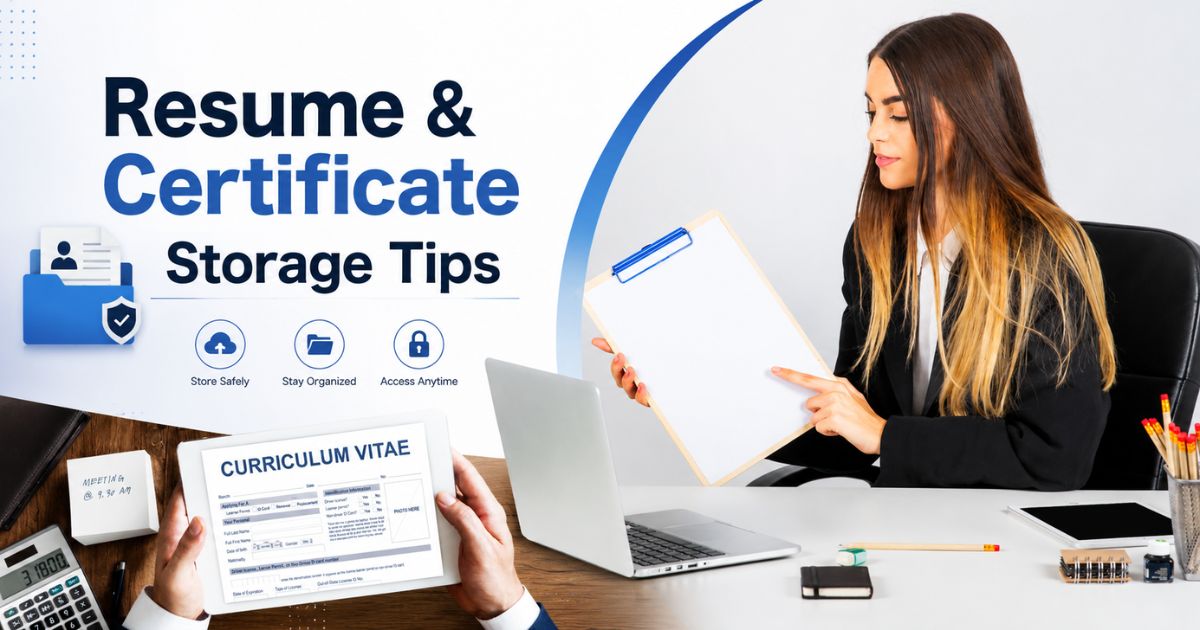
Your resume and professional certificates represent years of education, hard work, and career growth. Whether you're applying for a new job, seeking a promotion, pursuing higher education, or attending a professional interview, having these documents organized and readily available can save time and reduce unnecessary stress.
Unfortunately, many people store resumes in one folder, certificates in another, and important employment documents across different devices or email accounts. This scattered approach often leads to outdated resumes, missing certificates, or delays when important documents are urgently needed.
Following practical resume and certificate storage tips can help you build an organized document system that keeps every professional record secure, backed up, and easy to access from anywhere. Whether you prefer physical filing, digital storage, or a combination of both, a structured approach ensures your career documents remain protected throughout your professional journey.
In this guide, you'll learn how to organize resumes, educational certificates, professional certifications, digital copies, and supporting documents using simple storage strategies that make future career opportunities easier to manage.
Why Proper Resume and Certificate Storage Matters
Your professional documents are required at multiple stages of your career. Employers, educational institutions, certification bodies, and government agencies may request proof of your qualifications or employment history at any time.
Keeping these documents properly organized allows you to:
- Apply for jobs without searching through old files.
- Share updated resumes quickly.
- Access certificates during interviews.
- Complete background verification faster.
- Protect valuable original documents.
- Maintain secure digital backups.
- Reduce the risk of losing important records.
A well-organized storage system also helps you keep track of newly earned certifications and updated resume versions throughout your career.
Which Documents Should You Store Together?
Rather than treating every document separately, group related professional records into one dedicated career folder. This makes document management much simpler as your professional experience grows.
Your resume and certificate collection may include:
- Master resume or CV.
- Role-specific resumes.
- Cover letter templates.
- Educational certificates.
- College transcripts.
- Professional certifications.
- Training completion certificates.
- Workshop participation certificates.
- Skill assessment reports.
- Professional licences.
Keeping these records together creates a strong foundation for your complete career document management system.
Benefits of Organizing Professional Documents
Taking time to organize your resumes and certificates offers long-term benefits beyond job searching. A structured filing system improves productivity while ensuring your professional records remain accurate and secure.
Some of the biggest advantages include:
- Faster document retrieval.
- Reduced duplicate files.
- Better version control.
- Improved document security.
- Easy access from multiple devices.
- Reliable backup protection.
- Simpler career transitions.
If you're building a complete professional record system, our Important Career Documents guide explains which employment records every professional should maintain throughout their career.
Who Can Benefit from Better Document Storage?
Organized resume and certificate storage isn't only useful for experienced professionals. Anyone building a career can benefit from keeping important documents properly managed.
This includes:
- Students preparing for internships.
- Recent graduates.
- Working professionals.
- Freelancers.
- Remote employees.
- Consultants.
- Business owners.
- Professionals pursuing certifications.
No matter your profession or experience level, creating a secure storage system today helps you stay prepared for future opportunities while protecting the documents you've worked hard to earn.
Best Resume and Certificate Storage Tips
Having an updated resume is important, but storing it correctly is equally essential. A well-organized document system helps you quickly access your professional records whenever you apply for a job, attend an interview, or need to verify your qualifications. Following these practical storage tips will help protect both digital and physical copies of your important documents.
Keep Multiple Resume Versions
Different jobs often require different resumes. Instead of editing the same file repeatedly, maintain separate versions for each industry or job role.
Consider keeping:
- Master resume with complete work history.
- Role-specific resumes.
- Industry-specific resumes.
- Cover letter templates.
- Professional portfolio.
Using descriptive file names makes it easier to identify the correct version when applying for new opportunities.
Organize Educational Certificates
Educational records should be stored in chronological order so they can be located quickly during admissions, interviews, or employment verification.
Common documents include:
- School certificates.
- College degrees.
- Diplomas.
- Academic transcripts.
- Mark sheets.
Store Professional Certifications Separately
Professional certifications often require periodic renewal. Keeping them in a dedicated folder makes it easier to track expiration dates and update records.
This folder may include:
- Industry certifications.
- Technical certifications.
- Online course certificates.
- Workshop certificates.
- Professional licences.
Create Digital Backup Copies
Every important certificate and resume should have a high-quality digital copy. Scan documents as searchable PDF files whenever possible to improve organization and accessibility.
Maintain copies on:
- Your primary computer.
- Trusted cloud storage.
- An external hard drive.
- An encrypted USB drive.
For additional digital document security, explore our Digital Vault to securely organize important electronic records.
Use Clear File Naming Conventions
Consistent file names make documents much easier to search and prevent confusion between older and newer versions.
Examples include:
- Resume-Marketing-Manager-2026.pdf
- Bachelor-Degree-Certificate.pdf
- AWS-Certification-2026.pdf
- Google-Analytics-Certificate.pdf
Protect Original Documents
Original certificates should always be stored safely because replacing them can be difficult and time-consuming.
Good storage practices include:
- Use waterproof document folders.
- Store papers in a dry location.
- Avoid folding certificates.
- Protect documents with transparent sleeves.
- Keep originals separate from daily-use copies.
Review Your Documents Regularly
Your resume and certifications should reflect your current skills and experience. Schedule regular reviews to remove outdated versions and add newly earned qualifications.
Review your documents whenever you:
- Change jobs.
- Earn a certification.
- Complete professional training.
- Receive a promotion.
- Update your resume.
When preparing for a career move, our Job Change Document Checklist can help ensure you have every important document ready before your next opportunity.
Keep Everything Together in One Career Folder
Instead of storing resumes in email, certificates on your laptop, and other records in separate cloud accounts, organize everything within one structured career folder. A single, well-managed system saves time, improves security, and ensures your professional documents are always ready when you need them.
How to Store and Protect Your Resume and Certificates
Creating an organized collection of resumes and certificates is only the beginning. To ensure your professional records remain safe, accessible, and up to date, you should combine secure physical storage with reliable digital backups. A well-planned storage system minimizes the risk of document loss while making it easier to apply for jobs and verify your qualifications.
Create a Dedicated Career Folder
Store all career-related documents in one dedicated folder instead of scattering them across multiple devices or email accounts. Keeping everything together saves time whenever you need to update your resume or submit supporting documents.
Your career folder may include:
- Master resume.
- Role-specific resumes.
- Educational certificates.
- Professional certifications.
- Cover letter templates.
- Professional portfolio.
For a complete career filing system, read our How to Organize Job Documents guide.
Store Documents in Secure Cloud Storage
Cloud storage allows you to access your professional documents from any device while reducing the risk of losing files because of hardware failure or accidental deletion.
For better security:
- Enable multi-factor authentication.
- Use strong, unique passwords.
- Organize files into clearly labeled folders.
- Review sharing permissions regularly.
Secure cloud storage also makes it easier to submit documents quickly when applying for jobs.
Keep Offline Backup Copies
Cloud storage should not be your only backup solution. Keep an offline copy of important documents so they're available even without internet access.
Good offline backup options include:
- External hard drive.
- Encrypted USB drive.
- Secondary laptop or computer.
- Printed copies of key documents.
Protect Original Certificates
Original academic and professional certificates are often difficult or expensive to replace. Store them carefully to prevent physical damage.
Best practices include:
- Use acid-free document folders.
- Store documents flat without folding.
- Protect certificates using transparent sleeves.
- Keep them in a cool, dry location away from moisture and direct sunlight.
Use Version Control for Your Resume
Your resume should evolve throughout your career. Rather than replacing older versions, save updated copies with clear version numbers or dates.
Example file names:
- Resume-Project-Manager-v3.pdf
- Resume-Data-Analyst-2026.pdf
- Resume-General-Updated-July-2026.pdf
This approach prevents confusion and ensures you always submit the correct resume for each opportunity.
Share Documents Securely
When sending resumes or certificates to recruiters, employers, or educational institutions, use secure file-sharing methods whenever possible.
Before sharing:
- Confirm the recipient's email address.
- Share only the documents requested.
- Remove unnecessary personal information when appropriate.
- Keep a copy of every document you send.
Review and Update Your Career Records
Professional documents should never remain unchanged for years. Set aside time to review your files whenever you complete a certification, change jobs, or gain new experience.
Update:
- Your latest resume.
- Recently earned certificates.
- Professional licences.
- Training records.
- Portfolio projects.
If you're building a complete career document system, visit our Job Vault to explore guides on organizing employment records, job change documents, retirement paperwork, and other essential professional files.
Best Practices for Managing Your Resume and Certificates
Your resume and certificates represent your professional journey, making them some of the most valuable career documents you own. Keeping them organized, secure, and up to date ensures you're always prepared for interviews, promotions, certification renewals, and new career opportunities.
Review Your Resume Regularly
Your resume should evolve as your career grows. Instead of waiting until you're actively looking for a job, update it whenever you gain new experience or achievements.
Review your resume after:
- Changing jobs.
- Receiving a promotion.
- Completing professional training.
- Earning a new certification.
- Finishing a major project.
Keep Original Certificates Safe
Original certificates should only be used when official verification is required. For most applications, use scanned digital copies while keeping the originals stored safely in a secure location.
Protect originals by:
- Using waterproof document folders.
- Keeping certificates flat.
- Avoiding direct sunlight and moisture.
- Handling documents carefully to prevent damage.
Protect Sensitive Personal Information
Your resume and certificates may contain personal information such as your address, phone number, identification details, and educational records. Protect these files by limiting access and using secure storage methods.
Recommended security measures include:
- Strong passwords.
- Multi-factor authentication.
- Encrypted cloud storage.
- Secure file-sharing methods.
Maintain Multiple Backup Copies
Never rely on a single device or storage location. Maintaining multiple backups helps ensure your professional records remain available if one copy is accidentally deleted or becomes inaccessible.
A simple backup strategy includes:
- Primary computer.
- Trusted cloud storage.
- External hard drive.
- Encrypted USB drive.
Remove Outdated Versions Carefully
Older resumes and expired certificates can create confusion during job applications. Instead of deleting them permanently, move them into an archive folder while keeping only the latest versions in your active career folder.
This helps you maintain a clean, organized document library while preserving your professional history.
Common Resume and Certificate Storage Mistakes
- Keeping resumes in multiple unorganized folders.
- Using outdated resume versions for job applications.
- Not creating digital backups of important certificates.
- Saving files with unclear or generic names.
- Ignoring certification renewal dates.
- Storing original certificates in unsafe locations.
- Sharing sensitive documents without proper security.
Conclusion
Following practical resume and certificate storage tips helps you protect the documents that support your professional growth. An organized system makes it easier to apply for jobs, verify qualifications, update career records, and respond quickly to new opportunities.
By combining secure physical storage, encrypted digital backups, consistent file naming, and regular document reviews, you can build a reliable career document system that grows with you throughout your professional journey.
Continue building your complete career document system by exploring our Job Vault. You can also read our guides on Important Career Documents, How to Organize Job Documents, Job Change Document Checklist, and Retirement Documents You Need to keep every professional record organized and secure.
Frequently Asked Questions
cmp6hs57y000oc2bxnj5buqzv
Editorial Contributor
Author and technology contributor at NexaLifeVault.
Share this post
Comments (0)
No comments yet. Be the first to comment!