Digital Nomad Documents: Visas, Insurance, Tax Residency and Proof of Income
Visa papers, health insurance, proof of income and tax residency records: here is the digital nomad documents checklist, with an FAQ and a simple system to keep it all in one place.
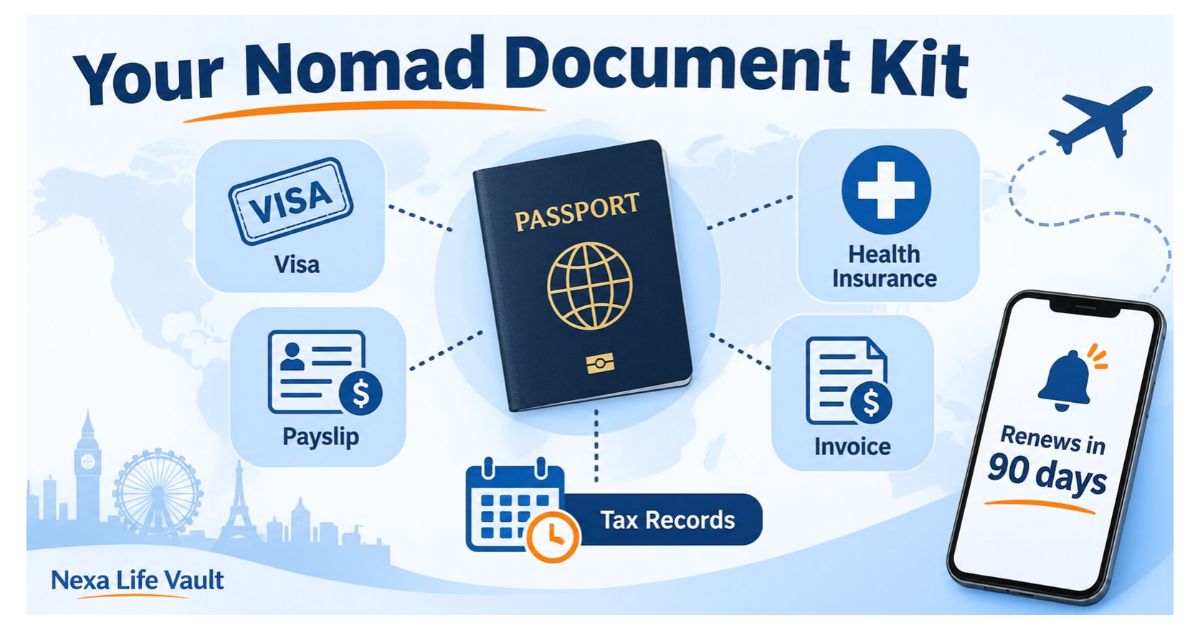
Digital nomad documents include a valid passport, a visa or permit, health insurance, proof of remote income, proof of where you pay tax, and proof of accommodation. Rules differ by country, so check each destination's official immigration site. Keep digital and backup copies together so you can show them at borders, embassies and banks.
Border officers, insurers, landlords and tax offices all ask for paperwork, and they rarely ask at a convenient time. If you work remotely from different countries, your digital nomad documents are your proof of who you are, how you earn and where you belong for tax purposes. This article gives you a checklist for visas, insurance, income and tax residency, plus a simple system to keep it all findable. Rules vary, so treat it as a starting point.
Last updated: November 2026. This is general information, not legal, tax or financial advice.
Which digital nomad documents do you need before you leave?
Think in four groups: identity, permission to stay, money and protection. Here is the core checklist most remote workers end up needing.
- Passport. Many countries want it to stay valid for a set period beyond your trip, so check the rule for every country on your route.
- Visa, e-visa or residence permit. Keep the approval email, reference number and any payment receipt too.
- Health and travel insurance certificate. It should show your name, cover dates and the insurer's emergency number.
- Proof of remote income. Contracts, payslips, invoices or bank statements, depending on how you earn.
- Tax residency proof. Either an official certificate or the records that let you build your case.
- Accommodation and onward travel. Booking confirmations, a rental agreement, or a flight out of the country.
- Backup identity. A second photo ID, spare passport photos, and certificates such as birth or marriage if family is joining you.
Not every country asks for all seven, and some ask for more. Build your list from the destination's own immigration website. Verify with the official source (the destination country's immigration authority or embassy) before acting.
Which digital nomad visa documents do applications usually ask for?
Several countries offer visas aimed at remote workers. Names, income rules and stay lengths differ widely. Applications often ask for some mix of the following:
- Passport bio page and a completed application form
- Passport-style photos
- Proof that you work remotely for an employer or clients outside the country
- Proof of income, usually bank statements or payslips
- Health insurance that covers your stay
- A police clearance certificate, in some cases
- Proof of where you will live
- The fee payment receipt
Some offices also want translations or extra certification for certain papers, such as police certificates. Check what applies to you, and how long those steps take, before you pay for flights.
Here is how a small gap can slow things down. Priya, a freelance designer, applies with bank statements showing payments from three clients, but she only has a signed contract for one. Her application stalls while she chases the other two. Match every income stream with a contract or invoice before you submit.
What trips people up on visa applications?
Mismatched details cause most delays: a name spelled two ways, dates that do not line up, or income shown in a currency the reviewer cannot trace. Open every file side by side and check names, dates and amounts before you upload anything.
Passport expiry is the other common one. Check it first, because renewing a passport while abroad can take longer than renewing at home.
What should nomad health insurance cover?
A policy built for a two-week holiday may not suit six months of remote work abroad. Nomad health insurance is a broad label, and policies differ on trip length, countries covered and what they exclude. Before you buy, check these points:
- The cover dates match your full stay, including travel days.
- Every country on your route is covered, including your home country if you visit.
- Medical evacuation is included or clearly excluded.
- Pre-existing conditions and activities you plan to do are not excluded.
- The visa you want does not set a minimum cover amount or a required wording.
Keep the policy certificate, the proof of payment, the insurer's emergency and claims numbers, and any prescriptions or vaccination records together. If a visa office asks for a letter confirming your cover, your insurer can usually provide one, so ask early.
Verify with the official source (the destination's immigration authority, and your insurer's policy wording) before acting.
How do you show proof of income as a remote worker?
Visa offices, landlords and banks want to see that your income is regular and traceable. What counts as proof depends on how you earn.
| Document | What it shows | Best for |
|---|---|---|
| Employment contract or letter | Your role, pay and that you may work remotely | Employees |
| Recent payslips | Regular salary over time | Employees |
| Client contracts | Ongoing work and agreed rates | Freelancers and consultants |
| Invoices | Work billed, with dates and amounts | Freelancers and business owners |
| Bank statements | Money actually received | Everyone |
| Past tax returns | Declared income history | Everyone |
| Company registration papers | That your business exists and you own it | Business owners |
If you are employed, keep your contract, letters and payslips in your Job Vault. If you run your own company, keep registration papers, client contracts and invoices in your Business Vault. Either way, you will not be digging through email on a slow connection when an officer asks for proof.
How do you prove tax residency?
Tax residency decides where you owe tax. It is a separate question from where your visa lets you stay. Each country sets its own tests, and many look at how many days you spend there, where your home and family are, and where your work is based. You can end up tax resident in more than one country, or in none you expected.
Because the tests vary, the safest habit is to keep records that show where you were and what you did. Useful tax residency proof includes:
- A simple travel log with entry and exit dates for every country
- Boarding passes, e-tickets and passport entry or exit stamps
- Rental agreements, utility bills and accommodation receipts
- Payslips or invoices showing where you were working
- Previous tax returns
- A residency certificate from your tax authority, where one is offered
Some tax authorities, such as HMRC in the UK or the Income Tax Department in India, issue residency certificates on request for people who qualify. Rules and processes differ by country and can change.
Verify with the official source (your national tax authority) before acting. For anything involving more than one country, speak to a qualified tax adviser.
How do you keep digital nomad documents organised on the road?
A good system takes an hour to set up and saves you many stressful moments. Follow these steps:
- List everything. Write one master list of your documents with expiry dates next to each.
- Scan clearly. Use full-page, readable scans, not cropped phone photos with shadows.
- Name files consistently. Use a pattern like country, document and expiry date so you can find files fast.
- Group by purpose. Keep visa papers, insurance, income and tax records in separate folders rather than by trip.
- Keep a second copy. Store one digital set online and another where you can reach it without a signal.
- Add as you go. After every border crossing, save the entry stamp photo and boarding pass.
- Set expiry reminders. Ask to be told about passport, visa and insurance renewals well before they run out.
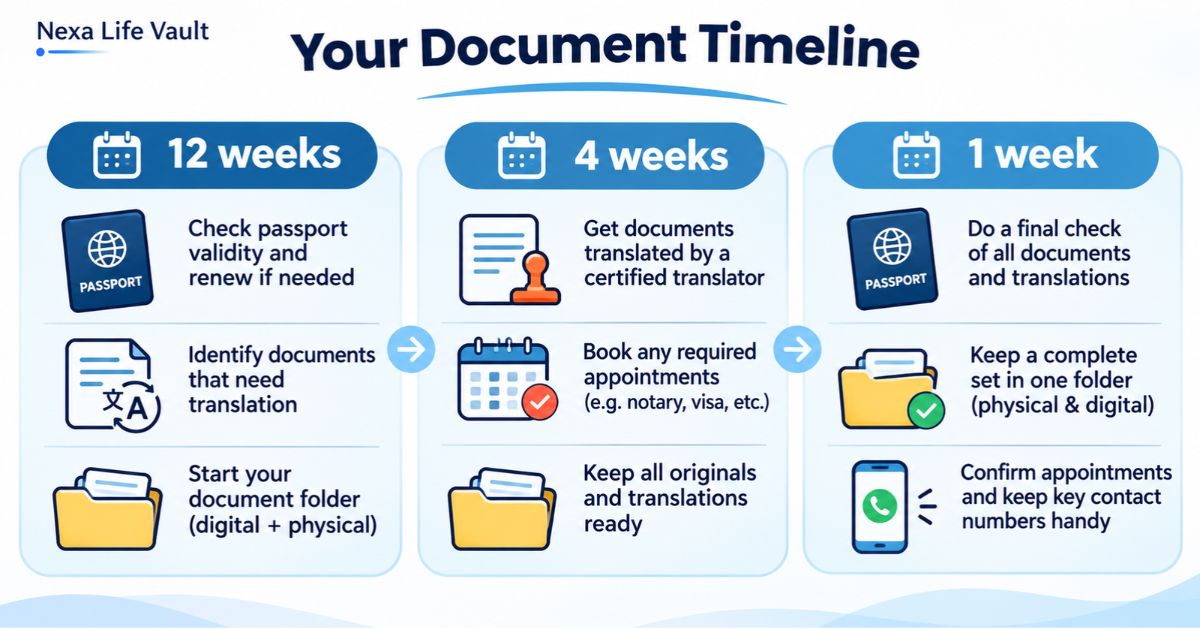
A rough timeline helps too. Three months out, check passport validity and research visa rules. One month out, finish insurance and gather income papers. In the final week, print key pages and save offline copies.
One caution: many offices still ask to see originals or certified copies. Digital copies are for convenience and backup, so check what each office accepts.
How Nexa Life Vault helps
Your Travel Vault is built for exactly this pile of papers. Store your passport, visas, insurance certificates, bookings and entry records in one place, and open them from your phone with Mobile Access.
Smart Document Alerts do the remembering for you. Add an expiry date to your passport, visa or insurance policy, and you get a reminder before it runs out, rather than at a check-in desk. Your files are protected with AES-256-GCM encryption and per-file keys, and are decrypted only in server memory for authorised requests.
Digital copies are a backup and a convenience. Always check whether an office needs the original.
Conclusion
Good digital nomad documents are not about collecting more paper. They are about knowing what each country, insurer and tax office may ask for, and being able to produce it in minutes. Build your checklist from official sources, keep your records current, and set reminders before anything expires. Keep everything in one vault and spend your energy on the work and the trip.
Frequently Asked Questions
Nishi Naik
Product & Digital Legacy Writer
Product and technology writer passionate about digital estate planning, family data privacy, and secure information lifecycle management.
Share this post
Comments (0)
No comments yet. Be the first to comment!