Best Document Storage Apps in India (2026): Features, Security and Pricing Compared
Compare the best document storage app India has in 2026. See how DigiLocker, Google Drive, OneDrive, Dropbox, iCloud and Nexa Life Vault score on features, security and pricing.
The best document storage app in India depends on what you store. DigiLocker suits government-issued papers, Google Drive suits shared files, and Nexa Life Vault suits life documents that expire or need family access, such as insurance, passports and vehicle papers. Pick one main app, then add a backup.
Most Indian households keep papers in three places: a drawer, a WhatsApp chat and a cloud folder nobody can search. Then the car insurance lapses, or a hospital asks for last year's reports at 11 pm. A good document locker app fixes that. This guide compares six options on features, security and pricing. Nexa Life Vault is our own product, so we say so upfront and explain exactly how we scored.
What is the best document storage app India offers in 2026?
There is no single winner. The right pick depends on three things: which documents you store, who else needs access, and whether you want reminders before something expires. Here is the short version:
- Government-issued documents: DigiLocker
- Shared files and teamwork: Google Drive
- Microsoft 365 users: OneDrive
- Syncing and sending large files: Dropbox
- Apple-only households: iCloud Drive
- Life documents with expiry dates and family access: Nexa Life Vault
If you want one digital document management app India families can use for passports, policies, medical files and vehicle papers together, a purpose-built vault usually works better than a plain folder. If you mostly share work files, a general cloud drive is enough.
How did we compare these apps?
We scored each app on five criteria, using the features each provider describes publicly. This is an editorial assessment, not a lab test. Plans and features change, so check each provider's site before you pay or upload anything.
| Criterion | What we checked | Why it matters |
|---|---|---|
| Organisation by life area | Are documents grouped by purpose (health, vehicle, legal), or only in folders you build yourself? | Finding one paper fast matters more than storing many. |
| Expiry and renewal reminders | Does the app alert you about passport, licence, insurance or PUC dates? | A missed renewal can mean a fine or a rejected claim. |
| Family and nominee access | Can a trusted person reach your documents if you cannot? | Papers are useless if your family cannot find them. |
| Security information | Does the provider explain how files are protected? | You should know what protects your Aadhaar and PAN copies. |
| Pricing clarity | Is there a free option, and are paid plans easy to understand? | You should know what you get before you commit. |
Which document locker app wins on each criterion?
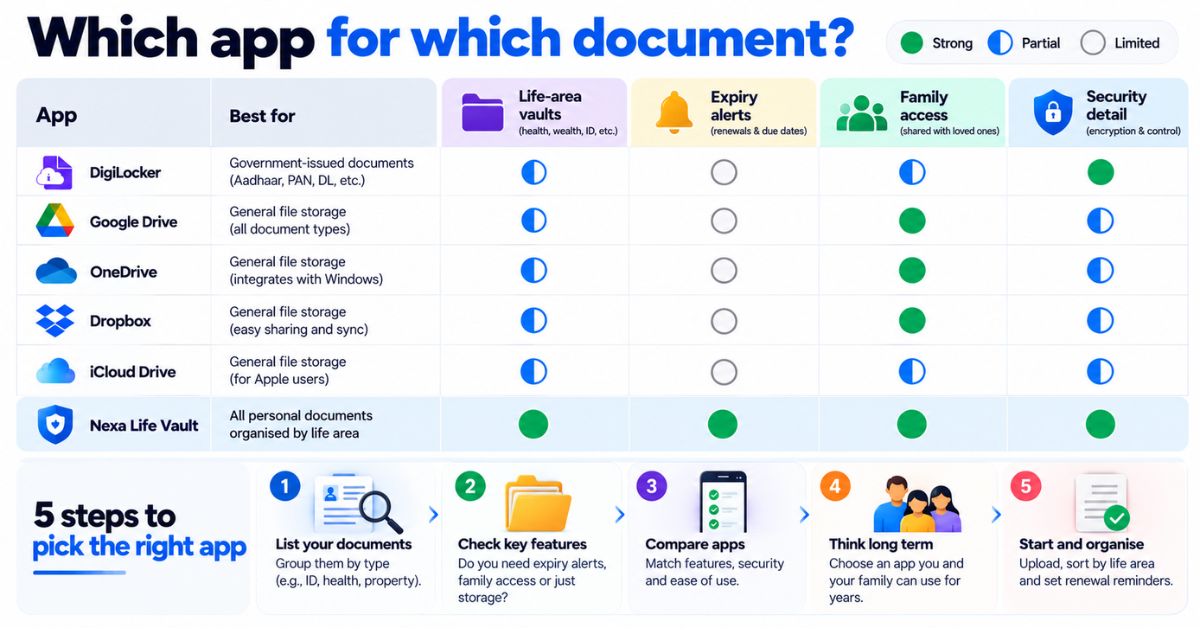
Ratings are Strong, Partial or Limited. They reflect fit for managing personal and family documents, not the overall quality of the product. A "Limited" for Google Drive does not mean it is a bad app. It means it was not built for this job.
| App | Organisation by life area | Expiry reminders | Family or nominee access | Security information | Pricing model |
|---|---|---|---|---|---|
| DigiLocker | Partial | Limited | Limited | Government-run service; check the official site | Free |
| Google Drive | Limited | Limited | Partial | Encryption, 2-step verification | Free tier plus paid plans |
| OneDrive | Limited | Limited | Limited | Encryption, Personal Vault extra verification | Free tier plus paid plans |
| Dropbox | Limited | Limited | Limited | Encryption, two-step verification | Free basic plan plus paid plans |
| iCloud Drive | Limited | Limited | Partial | Encryption, Apple Account two-factor authentication | Free tier plus paid plans |
| Nexa Life Vault | Strong | Strong | Strong | AES-256-GCM, per-file keys | See pricing |
DigiLocker: best for government-issued documents
DigiLocker is run by the Government of India. It lets you pull documents such as Aadhaar, PAN and driving licence straight from the issuing department, where that issuer takes part. It is free to use. The gap is private paperwork: it is not built around tracking insurance renewals or managing family access.
Verify with the official DigiLocker site (digilocker.gov.in) which documents are supported and how they are treated by different offices.
Google Drive: best for sharing and teamwork
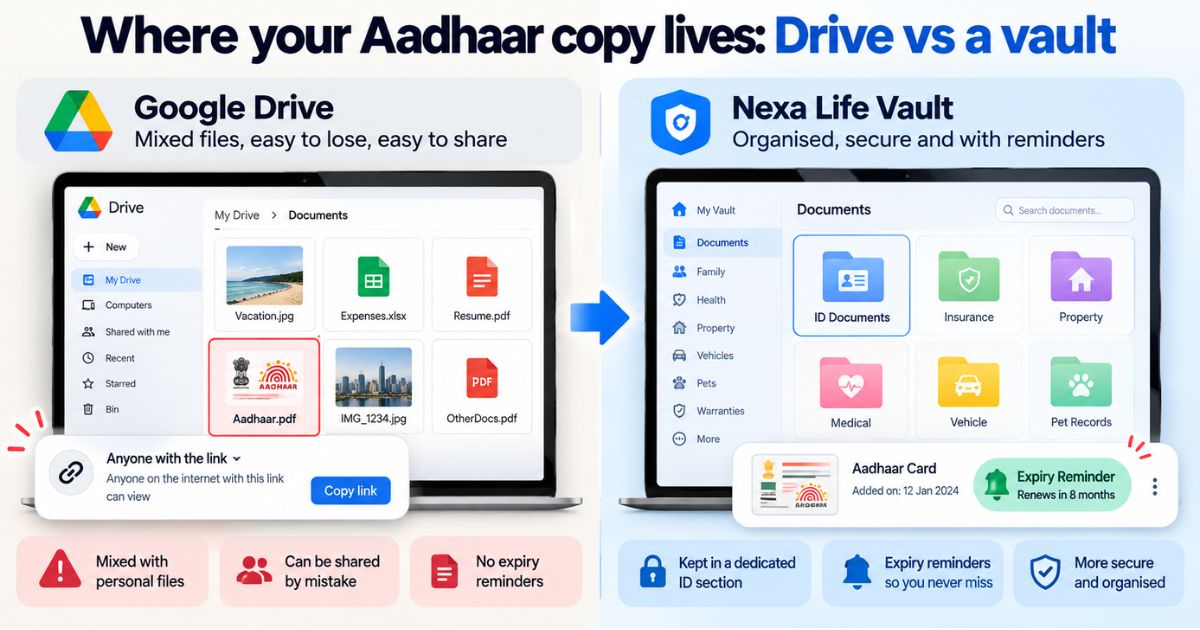
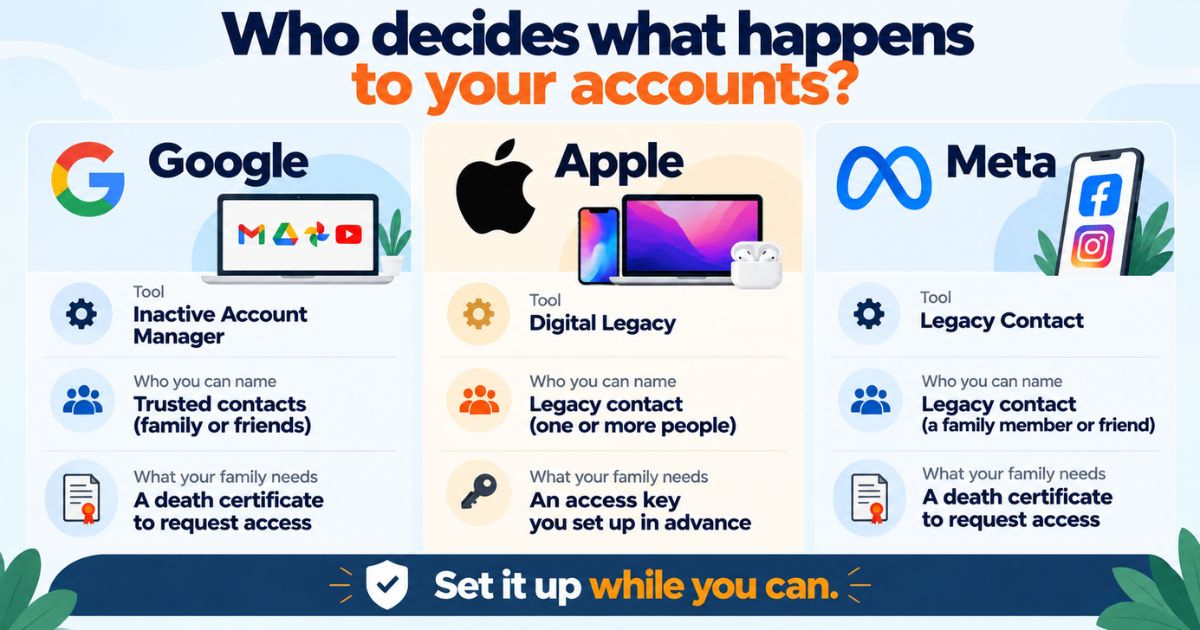
Google Drive is easy, works on almost any phone, and searches text well. Folders are manual, though, and it has no reminders tied to a document's expiry date. Free storage is shared with your other Google services, and extra space comes through paid plans. It also has an option to name someone who can get your data if your account goes inactive.
OneDrive: best for Microsoft 365 users
If you already live in Word and Excel, OneDrive fits naturally. Its Personal Vault adds an extra identity check before you open sensitive files. Like other general drives, it leaves the folder structure and renewal tracking to you. It has a free tier, with more storage bundled into Microsoft 365 plans.
Dropbox: best for syncing and sending large files
Dropbox is good at keeping files in step across devices and sharing links. It is a file tool first, so it has no document-type organisation or expiry alerts. It offers a free basic plan and paid tiers for more storage.
iCloud Drive: best for Apple-only households
iCloud Drive is built into iPhone, iPad and Mac, so setup takes minutes. Apple also offers a Legacy Contact option for your account. The weak spot is mixed households: if your parents use Android, sharing gets awkward. It has a free tier and paid iCloud+ plans.
Nexa Life Vault: best for life documents with deadlines and family access
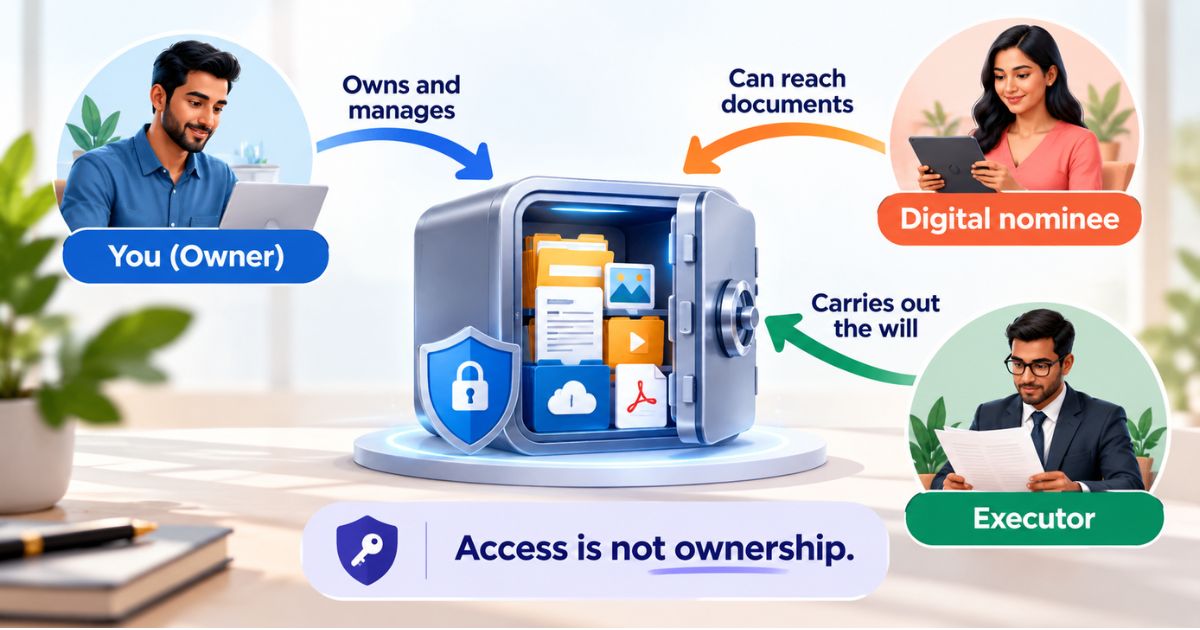
Nexa Life Vault is a secure digital document management platform with 12 vaults: Health, Family, Finance, Business, Legal, Digital, Travel, Vehicle, Pet, Education, Home and Job. It adds Smart Document Alerts, Nominee & Executor Access, AI-powered search, mobile access and regional data residency. See the full list on the features page, and read what users say on the testimonials page. If your main need is co-editing files with a team, a general cloud drive may fit better
What should you check about security before you upload?
Do not upload your Aadhaar, PAN or passport copy anywhere until you can answer these questions:
- Are files encrypted while stored and while moving between your phone and the server?
- Does the provider explain how encryption keys are handled?
- Can you turn on two-step or two-factor sign-in?
- Where is your data stored, and can you choose a region?
- What happens to your files if you cannot log in one day?
For reference, Nexa Life Vault encrypts files with AES-256-GCM, uses a separate key for each file, and decrypts files only in server memory for authorised requests. That is a strong, standard approach, but no service can promise zero risk. Treat any app that claims otherwise with suspicion.
Common mistake: Saving Aadhaar, PAN and passport photos in your phone gallery with auto-backup on. They end up mixed with holiday photos, synced to devices you forgot about, and easy to forward by accident. Keep sensitive documents in one locked place instead.
How much do document storage apps cost?
Most apps work the same way: a free tier with limits, then paid plans for more storage or extra features. DigiLocker is free. Google Drive, OneDrive, Dropbox and iCloud all offer free tiers and paid upgrades. For Nexa Life Vault, see the pricing page for current plans.
When you compare, look at what you are really paying for. Extra storage is rarely the issue for documents, since scanned PDFs are small. Features like reminders, nominee access and search usually matter more. Verify current prices on each provider's own pricing page before you decide.
How do you pick the right app in five steps?
- List what you hold. Include Aadhaar, PAN, passport, vehicle RC, insurance policies, ITR acknowledgements, property papers, school certificates and medical reports.
- Mark what expires or renews. Passport, driving licence, vehicle insurance, PUC certificate and health policy are the usual ones.
- Decide who needs access. A spouse, a parent, a nominee or an executor?
- Check the security basics from the section above.
- Test with ten documents for a week. Upload, search, share one, and only then move the rest.
Take Meera, who manages her parents' paperwork. Her father's health policy renews every year, and her mother's passport expires next year. Reminders and shared access matter more to her than raw storage. A plain folder would leave both to memory.
Pro tip: Never delete your originals after scanning. Keep them in a safe place, and use the digital copy for quick access. Also start passport renewals early, since you cannot always control processing time.
This is general information, not legal, tax or financial advice.
How Nexa Life Vault helps
Vehicle papers are a classic missed-deadline problem. Your RC, insurance policy and PUC certificate each have different dates, and the reminder email is easy to bury.
In the Vehicle Vault, you keep these documents together. Smart Document Alerts then remind you before an expiry or renewal date, so a lapse does not surprise you at a traffic stop or at claim time. Because Nexa Life Vault works on mobile, you can open a document wherever you are.
Digital copies may not be accepted in every situation. Check with the requesting authority first. See how alerts work on the features page.
Conclusion
The best document storage app India has to offer is the one that matches your papers. Use DigiLocker for official copies, a general drive for shared files, and a dedicated vault for documents with deadlines and family access. Test with ten documents before you move everything. If you want reminders and nominee access in one place, Get Started Free.
Frequently Asked Questions
Shailesh Nagar
Cloud Infrastructure & Security Contributor
Technology specialist at NexaLifeVault focusing on cloud infrastructure, data resilience protocols, and modern digital asset management.
Share this post
Comments (0)
No comments yet. Be the first to comment!