What Happens to Your Digital Accounts and Documents After You Die?
Most digital accounts don’t pass to your family automatically. See how Google, Apple and Meta handle them after death, and how to set up a plan in India.
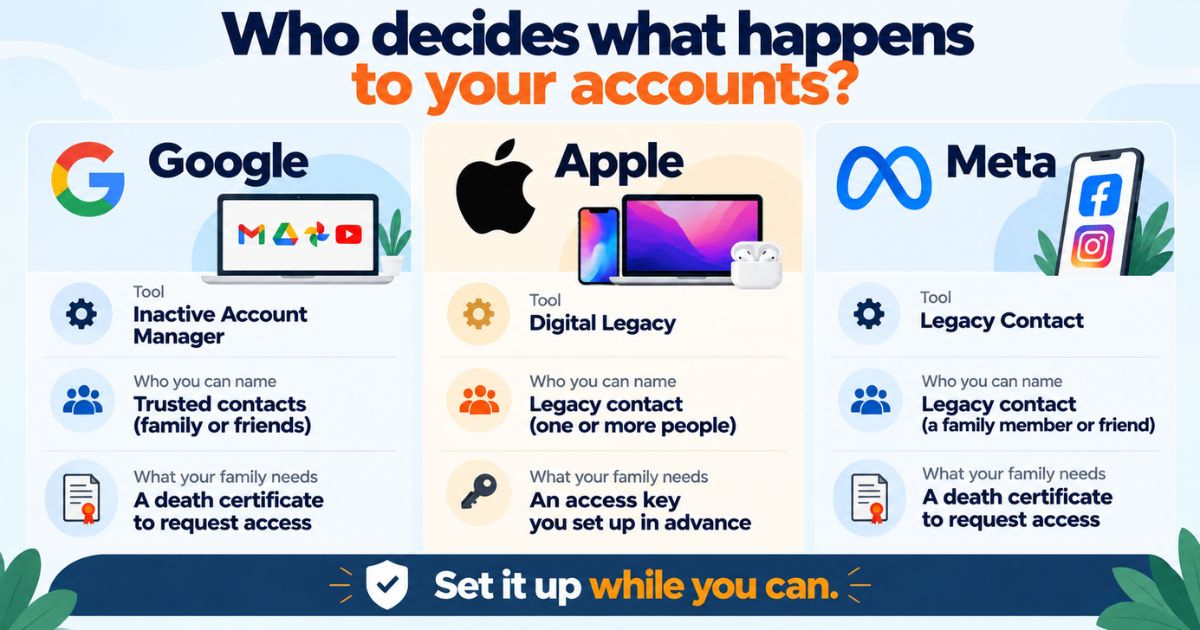
Most digital accounts do not pass to your family automatically. Each company sets its own rules: Google can share data with someone you pick, Apple allows a legacy contact, and Meta can memorialise or remove profiles. Without a plan, your family may need to send requests with a death certificate and wait.
You use dozens of accounts every day: Gmail, WhatsApp, Instagram, a banking app, a photo backup. If you are wondering what happens to digital accounts after death, the honest answer is that it depends on each company, and most will not hand over access just because a relative asks. Families often learn this at the worst time, holding a locked phone and a death certificate. This guide explains what Google, Apple and Meta do, what Indian families can realistically expect, and how to set things up now.
Last updated: October 2026
What happens to digital accounts after death in India?
India does not have one law that covers email, social media and cloud storage after a person dies. Banks, demat accounts and insurance policies follow their own nominee and legal heir processes. Online accounts mostly follow the terms of service you accepted when you signed up.
It helps to think in two layers. The first layer is money and property: bank balances, shares, mutual funds, insurance. Your will, your nominees and your legal heirs decide these. The second layer is access: your Gmail, your iCloud photos, your Facebook profile. Your will alone does not decide these. The company that runs the service decides whether anyone gets in.
Here is a short example. Meera's father passed away. His bank account went through the normal nominee process. His Gmail, which held the password resets and statements for his investments, stayed locked. His mobile number had been cancelled, so no OTP could reach anyone. The paperwork for the money was routine. The digital part was what stalled the family.
This is general information, not legal, tax or financial advice. For succession questions, speak to a lawyer.
How do Google, Apple and Meta handle accounts after someone dies?
All three offer a tool you can set up while you are alive. If you do not, your family has to use a request process, and the outcome is not guaranteed. Here is how they compare.
| Platform | Tool you set up | What it does | If you set nothing up |
|---|---|---|---|
| Google (Gmail, Drive, Photos, YouTube) | Inactive Account Manager | You choose trusted contacts and the data they can receive, or ask for the account to be deleted, after a period of inactivity that you set. | Your family can send a request to Google. Google may not share content. |
| Apple (iCloud, Photos, Notes) | Legacy Contact | You name people who can request access to your Apple Account data after your death. | Your family may need a court order to ask for access. |
| Meta (Facebook, Instagram) | Facebook Legacy Contact, memorialise or delete option | A legacy contact can manage parts of a memorialised Facebook profile. You can also choose deletion. | Your family can ask Meta to memorialise or remove the account with proof of death. |
Verify with the official source (Google Account Help, Apple Support and the Meta Help Centre) before acting. These tools and their requirements change.
Google: set a timer and a contact
Inactive Account Manager works like a timer. If you do not sign in for the period you picked, Google contacts the people you chose. They can download the data you agreed to share. You can also tell Google to delete the account instead. It takes a few minutes to set up and is easy to forget, so do it today.
Apple: a legacy contact and an access key
With Apple, you add a Legacy Contact in your account settings. Apple creates an access key for that person. After your death, they send Apple the key and a copy of the death certificate. Store the key somewhere your contact can find it, not only on your phone.
Meta: memorialise or delete
On Facebook, you can pick a legacy contact or ask for the account to be deleted after your death. A legacy contact cannot log in as you or read your private messages. Instagram has no legacy contact in the same way. Your family can request that the account be memorialised or removed.
Pro tip: Tell your legacy contact before you set it up. A person who has never heard of the arrangement may ignore an email from Google or Apple, or take it for spam. A two-minute call saves your family weeks.
What happens to your social media account after death?
A social media account after death usually ends up in one of two states. It is either memorialised, which keeps the profile visible as a tribute, or it is removed. Facebook and Instagram offer both. Other platforms, such as X and LinkedIn, have their own forms for deceased users. Most ask for proof of death, and some ask how you are related to the person.
WhatsApp works differently, because the account is tied to a phone number rather than an email address. Check WhatsApp's Help Centre for its current policy on deceased users.
Families sometimes try to log in with the person's password. That can trigger security checks and lock the account, and it may go against the platform's terms. Use the official request form instead.
What is a digital estate, and what does it include?
Your digital estate is everything you own or control online. Some of it has money value. Some has only memory value. Both matter to your family. A typical Indian digital estate includes:
- Email accounts, which often act as the reset point for everything else
- The mobile number linked to bank, UPI and demat OTPs
- Cloud photo and file storage
- Social media and messaging accounts
- Net banking, UPI apps and online investment platforms
- Crypto wallets and exchange accounts, if you hold any
- Subscriptions, OTT accounts and auto-renewing services
- Websites, domain names and business accounts
- Scans of Aadhaar, PAN, insurance policies and property papers
For a longer list of what to protect, read our post on digital assets you should protect.
Crypto needs special care. If the keys or recovery phrase are lost, there may be no company to call. Write down where that information is kept, and who should receive it.
Can you name a nominee for digital assets in India?
There is no single "nominee for digital assets" form in India. What you can do is combine three things.
- Official nominees on financial products. Banks, demat accounts, mutual funds, insurance policies and EPF all let you name a nominee.
- Platform tools. Google's Inactive Account Manager, Apple's Legacy Contact and Facebook's Legacy Contact each work like a nominee for that service.
- A letter of instructions and a will. The letter says what exists and where. The will covers what you want to happen to your property.
A nominee and a legal heir are not always the same person, and the rules differ by product. A nominee is often the first person a bank or insurer deals with. Legal heirs can have a separate claim under your will or succession law. Verify with the official source (the RBI for banks, SEBI for demat accounts and mutual funds, and IRDAI for insurance) before acting.
How do you build a digital legacy plan, step by step?
Digital legacy planning does not need a lawyer for every step. Most of it is a one-evening job.
- List your accounts. Write the name of each service and the email or number you used. Do not write passwords on this list.
- Set up Google Inactive Account Manager. Choose a contact, a time period and what to share.
- Add an Apple Legacy Contact. Share the access key with that person in a safe way.
- Choose your Facebook setting. Pick a legacy contact, or choose deletion. Decide what you want for Instagram too.
- Protect your phone number and recovery email. Tell your family who will keep the SIM active, because OTPs depend on it.
- Update nominees everywhere. Check your bank, demat, mutual fund, insurance and EPF records. Old nominees, such as a former spouse or a parent who has passed on, are common.
- Write a letter of instructions. Say what exists, where documents are, and who should be contacted first. Tell your executor where it is. Review it once a year.
Common mistake: Putting passwords inside your will. Passwords change often, and a will rarely gets updated. Keep your will for decisions, keep a letter for instructions, and use each platform's own tool for access.
For the bigger picture of how families and technology fit together, see our article on the future of digital legacy management.
What should your family do in the first few weeks?
If you are on the other side of this, helping with a loved one's affairs, work in this order.
- Get several certified copies of the death certificate from the local registrar or municipal office. Banks, insurers and platforms each ask for one.
- Keep the person's mobile number active for now. Cancelling it can cut off every OTP.
- Do not delete any account yet. Emails and statements often show what the person owned.
- Make a list of accounts using the phone, inbox, bank statements and subscription emails.
- Finish financial claims first: bank, insurance, EPF, demat and mutual funds, through each institution's nominee process.
- Then use each platform's deceased-user form. Download photos and files you want to keep before closing anything.
Verify with the official source (each bank, insurer, depository or registrar, and the platform's Help Centre) before acting. Requirements differ.
How Nexa Life Vault helps
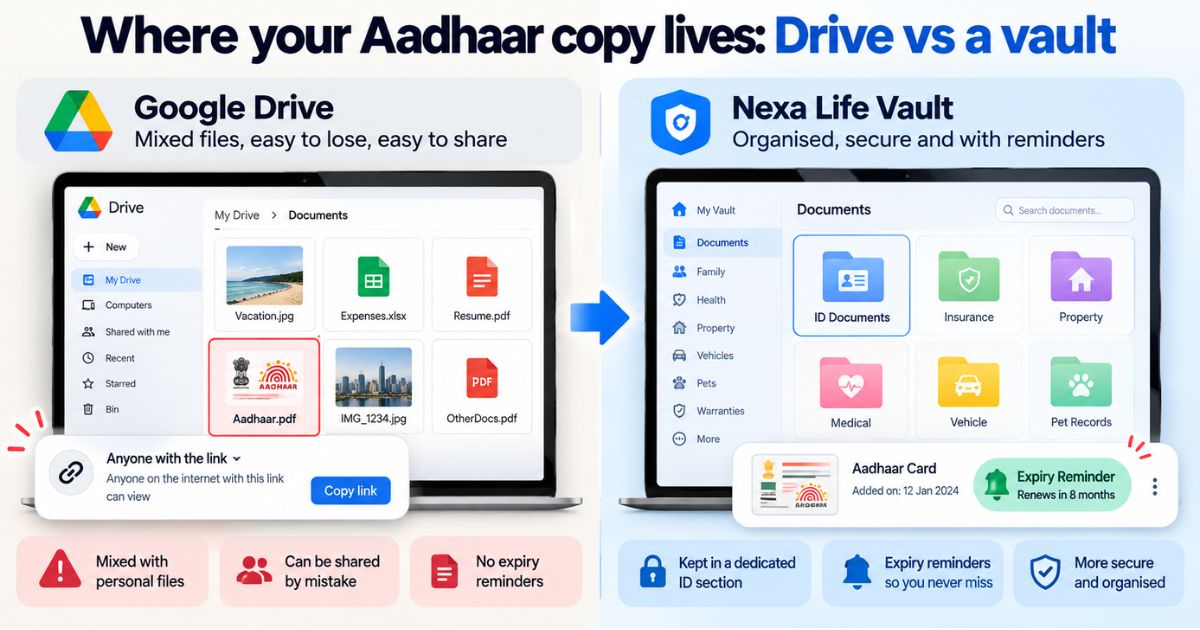
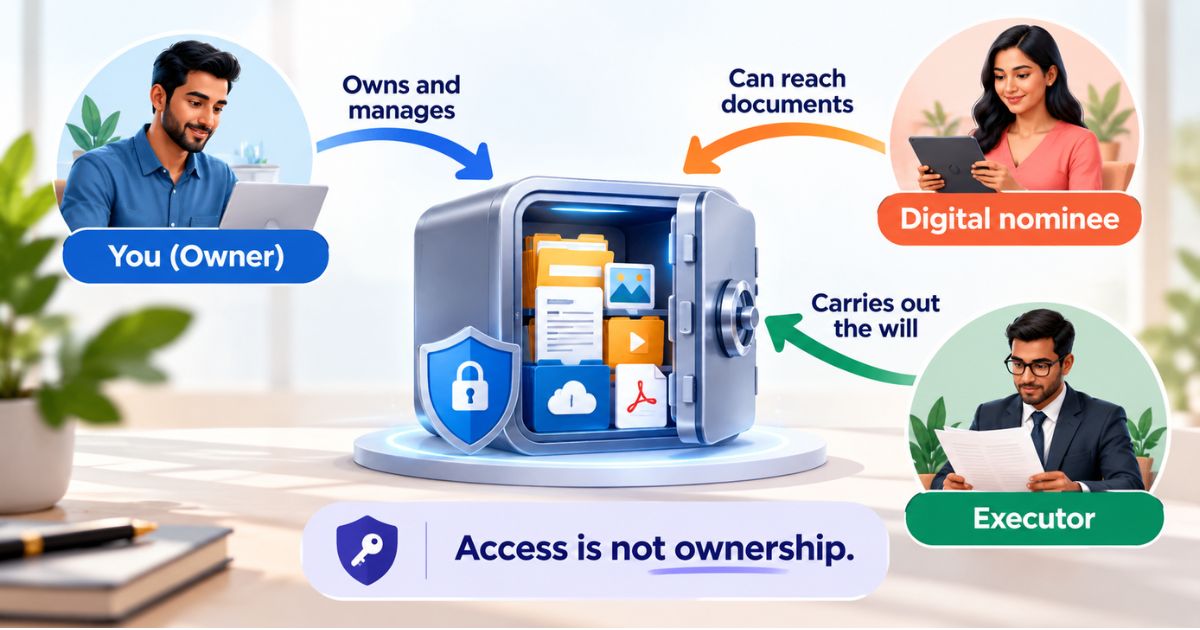
The Digital Vault is where the paperwork behind your online life can sit in one place. You can keep an account inventory (service names, not passwords), your letter of instructions, nominee details and copies of important documents. With Nominee & Executor Access, you decide who can reach those files, so your family does not have to guess which accounts exist or where to start.
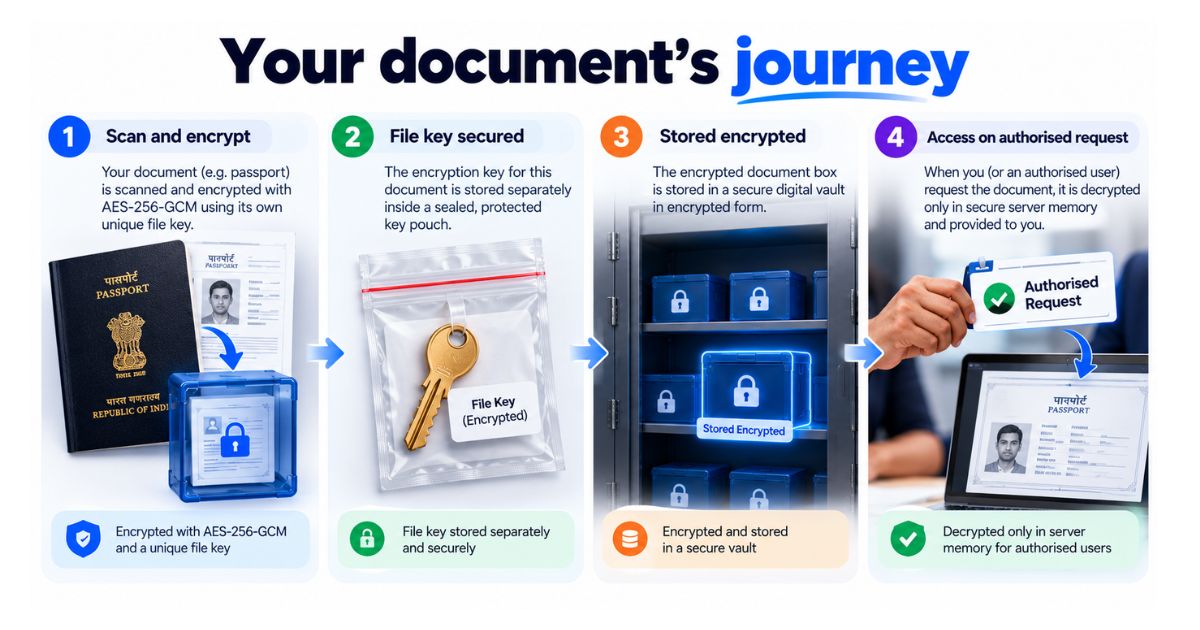
Files are encrypted with AES-256-GCM, each with its own key, and are decrypted only in server memory for authorised requests. A digital copy does not replace the original forms that banks, insurers and platforms may ask for. It helps your family know what to ask for.
Conclusion
Knowing what happens to digital accounts after death is the first step. Setting up your own plan is the second. Spend one evening on it: list your accounts, switch on the Google, Apple and Meta tools, and tell your family where your instructions are. Then add a trusted nominee in your Digital Vault, so the person who finds your locked phone has somewhere to start.
This is general information, not legal, tax or financial advice.
Frequently Asked Questions
Ayush Singh
Software Engineer & Security Systems Writer
Software engineer and tech writer focused on digital security, system reliability, and user-friendly document organization workflows.
Share this post
Comments (0)
No comments yet. Be the first to comment!