Is Google Drive Safe for Aadhaar, PAN and Passport Copies?
s Google Drive safe for Aadhaar, PAN and passport copies? See the real risks, how Drive compares with a digital vault, and safer habits.
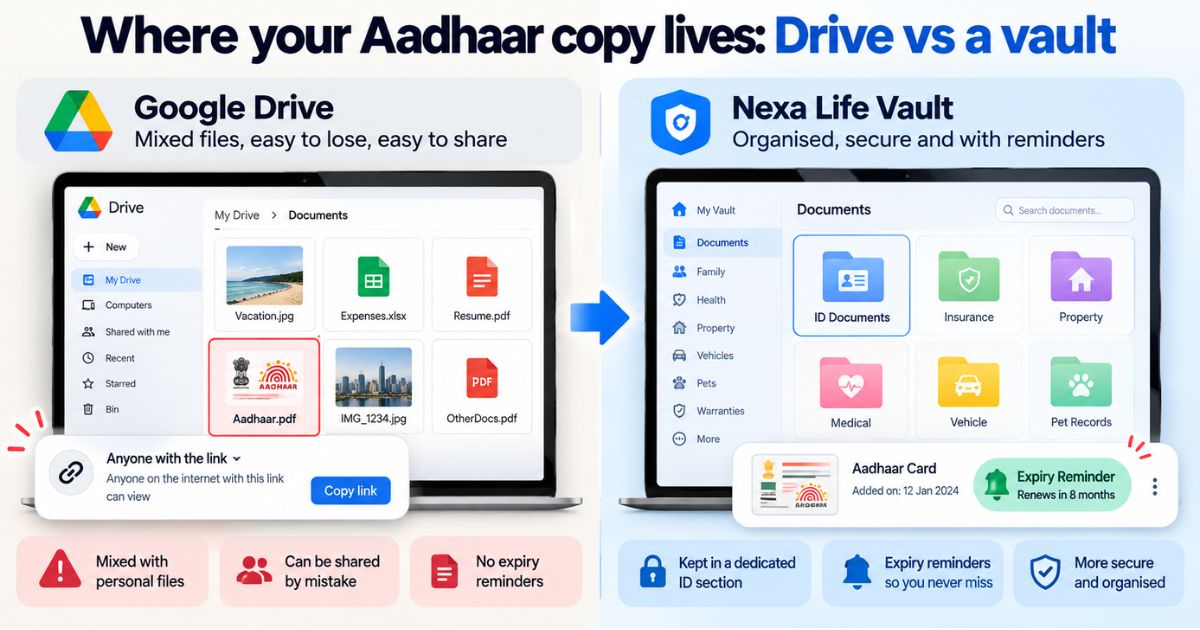
Short answer: Google Drive is reasonably safe as storage, but it is not built for identity documents. The bigger risks come from how you use it: weak passwords, shared links, a shared phone, or a hacked account. For Aadhaar, PAN and passport copies, a vault with tighter controls and expiry reminders is a better fit.
Is Google Drive safe for important documents? Most of us upload a scan of Aadhaar, PAN or a passport once and never think about it again. That works until a link stays open too long, a phone gets lost, or an account is hijacked. This article shows where the real risks sit, how Drive compares with a digital vault, and what safer habits look like.
Is Google Drive safe for important documents?
Google Drive is a mature service, and Google states that it encrypts files while they travel and while they are stored. The platform itself is rarely the weak point. Problems usually start with your account and the settings around it.
The bigger issue is purpose. Drive holds everything: holiday photos, college notes, office spreadsheets. It treats your PAN scan like any other file. It does not warn you when your passport is close to expiry, and it has no document-level way for family to find the right file if you are unreachable.
So the honest answer is this: Drive is fine for low-risk files, but a weak match for the documents fraudsters actually want.
What are the risks if you store Aadhaar on Google Drive?
Most real-world problems come from habits, not from Google. Here are the risks worth knowing:
- Open sharing links. A folder set to "anyone with the link" stays open until you close it, even years later.
- Account takeover. One stolen password, or one successful phishing message, can expose every file in the account.
- Auto-sync to other devices. Drive files can appear on an old laptop, a shared family tablet or an office computer.
- Third-party apps. Some apps you once approved may still have access to your Drive.
- Easy-to-guess file names. A file called "Aadhaar.pdf" is the first thing a thief searches for.
- No emergency plan. If something happens to you, your family may not know which file is where, or how to get in.
Here is a short scenario. Meera shares a "Visa documents" folder with a travel agent and sets access to "anyone with the link" so he can open it quickly. The visa arrives. The link stays live for years, and she forgets it exists.
Common mistake: Saving ID scans as "Aadhaar.pdf" or "PAN-card.jpg" in a folder that syncs to every device. If someone gets into your account, one search finds them. Use neutral file names and keep ID copies out of synced folders.
Should you store Aadhaar on Google Drive at all?
If you must, keep the file in a private folder, switch off link sharing, and protect the account with a strong, unique password and two-step verification. Where an organisation accepts it, consider a masked Aadhaar copy, which hides most digits. Verify with the official source (UIDAI, uidai.gov.in) before acting.
Google Drive vs digital vault: what is the difference?
This comparison follows the same idea as the Vault vs Cloud Storage table on our homepage. The question is not "which is better?" but "which is built for this job?"
| Feature | Google Drive | Nexa Life Vault |
|---|---|---|
| Built for | Files of every kind | Important life documents |
| Organisation | Folders you create and name yourself | 12 ready-made vaults, including Health, Finance, Legal, Travel and Vehicle |
| Expiry reminders | No built-in reminders for document expiry | Smart Document Alerts for expiry and renewal |
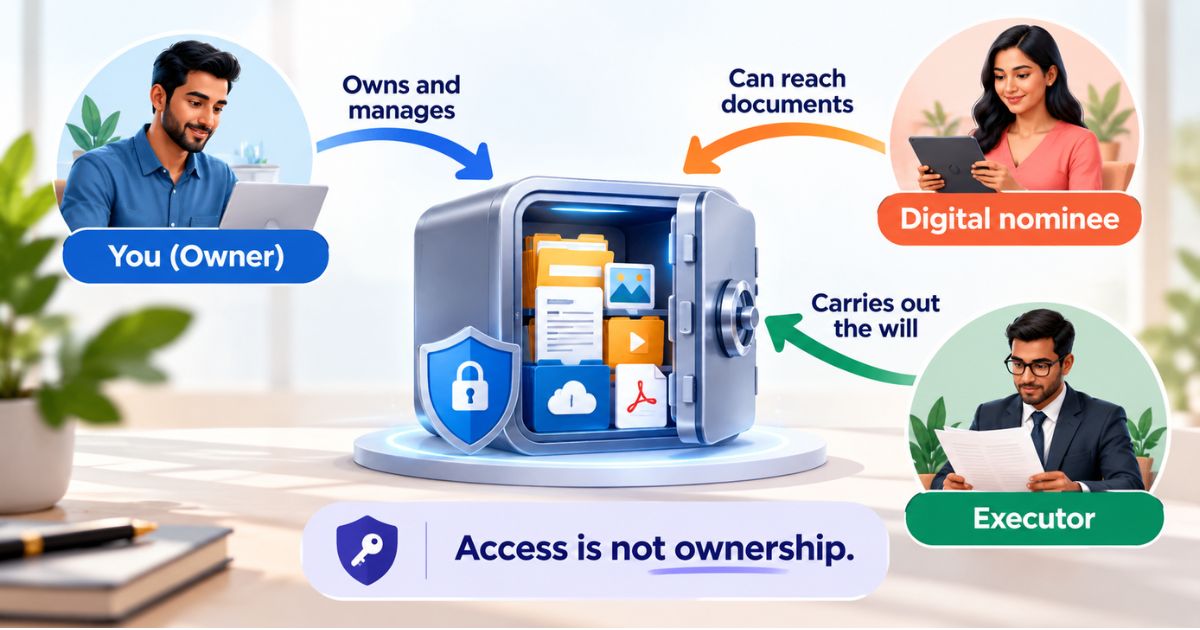
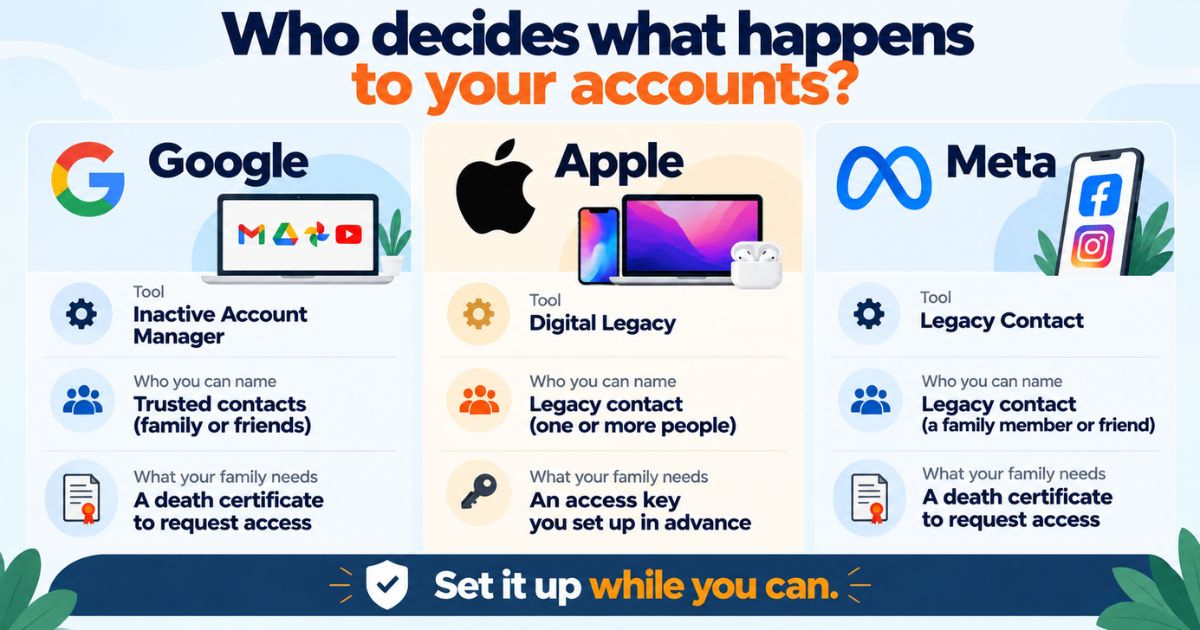
| Emergency access for family | Account-level options only, not document-level | Nominee & Executor Access |
| Search | Search by file name and content | AI-powered search and Cross-Vault Intelligence |
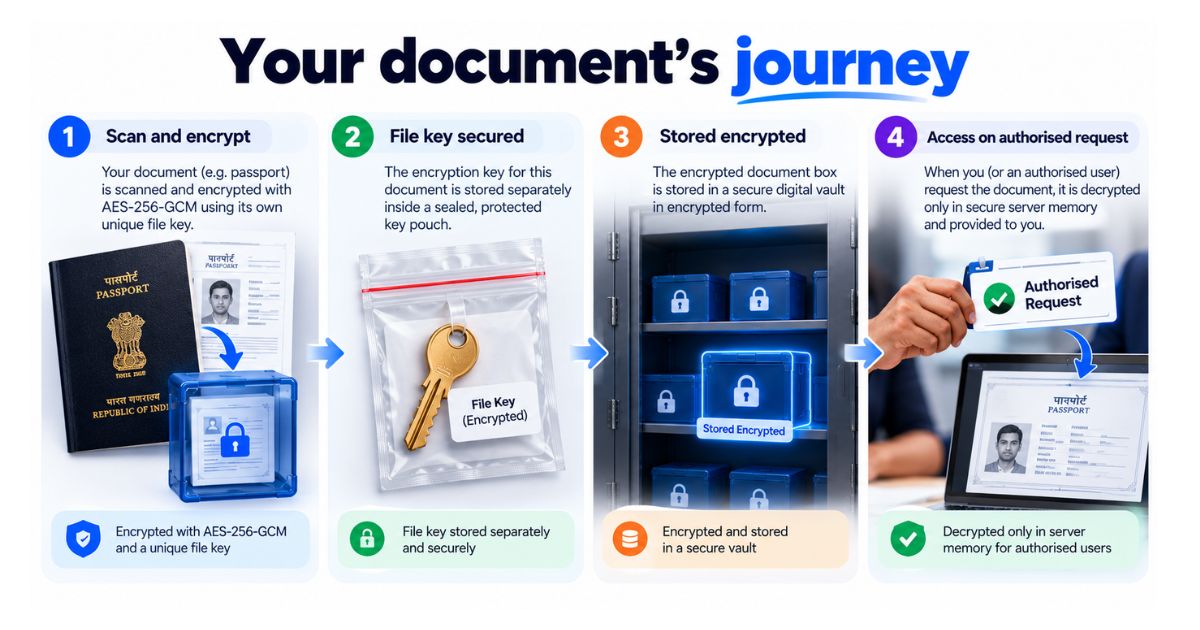
| Encryption | Google states files are encrypted in transit and at rest | AES-256-GCM with per-file keys; files decrypted only in server memory for authorised requests |
Whichever you choose, protect your account with a strong, unique password. Neither option is risk-free.
What is the safest way to store documents online?
No online option removes risk completely, but these steps cut most of it:
- List your high-risk documents. Aadhaar, PAN, passport, driving licence and property papers come first.
- Keep them out of auto-synced folders and out of your phone gallery.
- Secure the account. Use a strong, unique password and two-step verification, and do the same for the email address linked to it.
- Check your sharing settings. Remove any "anyone with the link" access you no longer need.
- Use masked or limited copies where the receiving organisation allows it. Verify with the official source (UIDAI for Aadhaar) before acting.
- Store the originals in a dedicated vault and share only the specific copy someone needs, only when they need it.
- Review every six months. Delete old copies, remove unused apps and update your reminders.
For more day-to-day habits, read our guide to cloud storage best practices. If you already use a vault, check the common digital vault mistakes people make with secure document storage.
Is DigiLocker a better option?
DigiLocker is a government service, and it can hold documents issued by participating agencies. It is a useful extra, but it does not replace a place for your own scans, receipts and policy papers. Whether an office accepts a digital copy depends on that office, so check with the issuing body or the organisation asking for it. Verify with the official source (DigiLocker or the issuing authority) before acting.
How Nexa Life Vault helps
For ID copies, the Digital Vault gives them a dedicated space instead of a folder mixed with photos and work files. Each file is protected with AES-256-GCM encryption and its own key. Files are decrypted only in server memory when an authorised request comes in. No storage is risk-free, so a strong password still matters.
The feature that helps most here is Smart Document Alerts. It reminds you about expiry and renewals, so a passport close to its end date does not catch you off guard. Digital copies are for your own reference, so check with the issuing body whether it will accept one.
Conclusion
So, is Google Drive safe for important documents? For holiday photos, yes. For Aadhaar, PAN and passport copies, it works only if you tighten sharing, lock down your account and avoid auto-sync. A dedicated vault gives IDs their own space and renewal reminders. Try a vault built for IDs.
Last updated: October 2026. This is general information, not legal, tax or financial advice.
Frequently Asked Questions
Shailesh Nagar
Cloud Infrastructure & Security Contributor
Technology specialist at NexaLifeVault focusing on cloud infrastructure, data resilience protocols, and modern digital asset management.
Share this post
Comments (0)
No comments yet. Be the first to comment!