What Is a Digital Vault? A Simple Beginner's Guide (2026)
A digital vault is a secure online space for your most important documents, like ID proofs, insurance policies and property papers. Learn how it works and how it differs from cloud storage.
A digital vault is a secure online space where you store important documents, such as ID proofs, property papers and insurance policies, in encrypted form. Unlike ordinary file storage, it is built for sensitive records: it organises them by category, reminds you when they expire, and lets you control who can access them.
Last updated: October 2026
Think about the last time you needed your property papers, a vehicle RC or an old insurance policy in a hurry. Maybe they were in a cupboard, a WhatsApp chat or a photo on a phone you no longer use. A digital vault fixes that scattered-papers problem. This guide explains what a digital vault is, how it works, how it differs from cloud storage, and what you can keep in one.
What Is a Digital Vault, in Plain Words?
The digital vault meaning is simple. It is a private online space for the papers that matter most in your life, kept safe and sorted so you can find them later. Picture the steel almirah at home, but behind a login and arranged by topic.
Most of us already hold these papers in digital form: a scanned Aadhaar card, a PAN card PDF, a photo of the vehicle RC, a home loan sanction letter, last year's ITR acknowledgment. A digital vault gives them one proper home instead of a dozen random folders.
A good vault does three jobs. It protects your files with encryption. It organises them by area of life, such as health, money or vehicles. And it helps the right people reach them when you cannot.
How Does a Digital Vault Work?
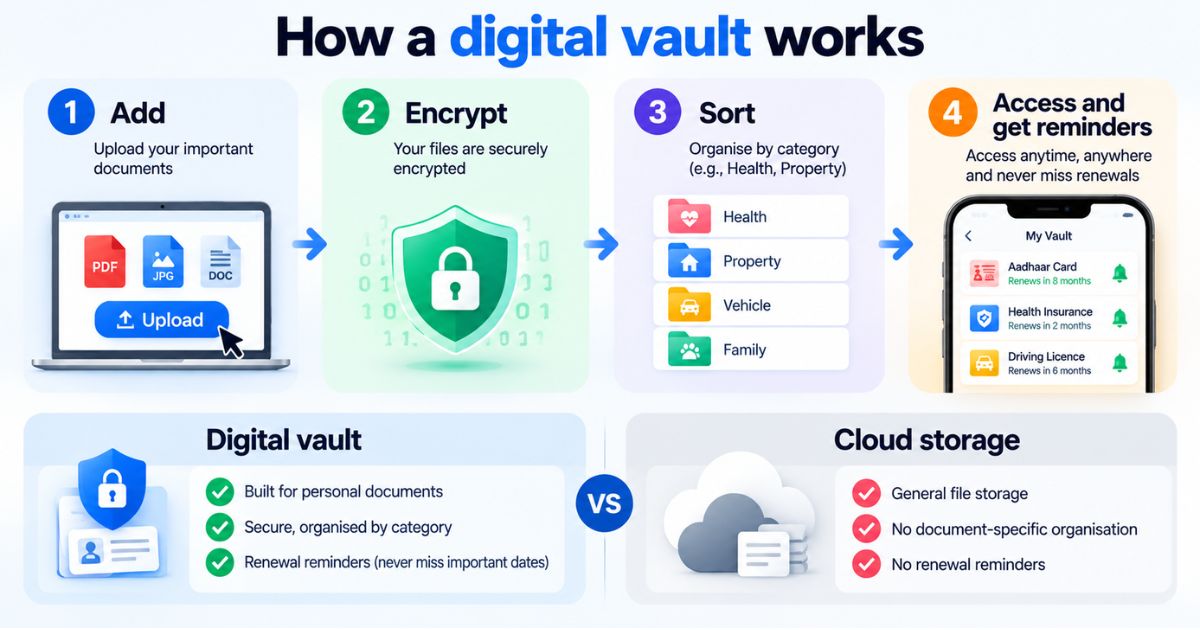
The details differ from one service to another, but most digital vaults follow the same four steps.
- You add your documents. Upload a PDF or scan a paper with your phone camera. A passport, a marksheet or a rent agreement all work the same way.
- The files are encrypted. Encryption scrambles a file so it cannot be read without the right key. Strong vaults do this before the file is stored, so a stolen copy is just unreadable noise.
- You sort and label them. Documents go into categories, for example a health report into a health section and an insurance policy into a finance section. Good labels save you time later.
- You open, search or share when needed. Only logged-in, authorised people can open a file. Many vaults also send reminders before something expires, such as a driving licence or a policy renewal.
The most useful part is the last step. A vault is not only a place to hide files. It is a place that helps you act on them at the right time.
Digital Vault vs Cloud Storage: What Is the Difference?
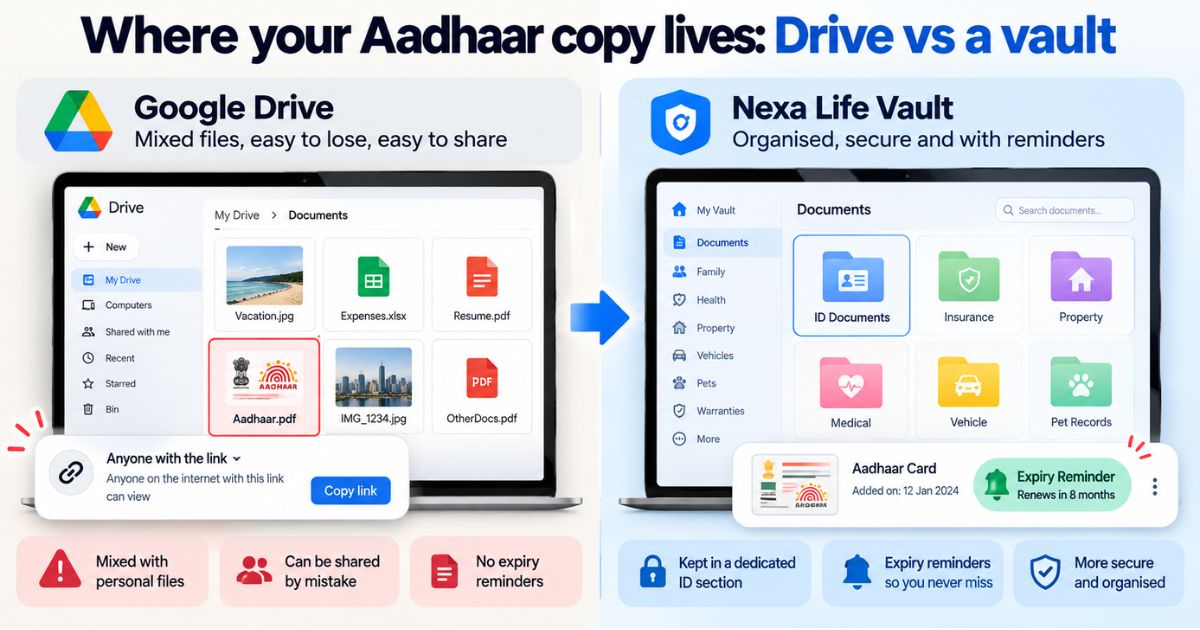
Cloud storage apps keep any kind of file online: holiday photos, work presentations, music. They are flexible and useful. A digital vault is narrower on purpose. It is designed around documents that carry legal, financial or medical weight.
| Feature | Digital vault | General cloud storage |
|---|---|---|
| Built for | Sensitive life documents | Any files, from photos to work folders |
| Structure | Categories based on areas of life | Folders you create yourself |
| Expiry reminders | Often included | Usually not designed for document expiry |
| Access for family | Often offers nominee or executor access | Usually done by sharing a link or password |
| Search | May search inside documents | Often limited to file names (varies by app) |
Here is a short example. Meera keeps her family photos in a cloud storage app, which works well. Her insurance policies, though, sit in a mix of email attachments and old folders. When a renewal date passes unnoticed, the cloud app does nothing, because it was never built to track dates on documents. A vault is.
So it is not a case of one or the other. Use cloud storage for everyday files and a digital vault for the papers you cannot afford to lose or lose track of.
Is a Digital Locker the Same Thing?
People in India often say "digital locker" when they mean a digital vault, and the two terms overlap. Both describe a secure online place for documents.
The phrase also reminds many people of DigiLocker, a government service for accessing documents issued by official agencies. A private digital vault is a different kind of tool. You store your own files in it, including papers no agency issued, such as a rent agreement, a warranty card or a pet's vaccination record. Many people use both.
Whether a digital copy is accepted in place of an original depends on who is asking and can change over time. Verify with the official source (the issuing department, or digilocker.gov.in for DigiLocker documents) before acting.
What Should You Keep in a Digital Vault?
Start with papers that are hard to replace or that you need quickly. Here is how documents commonly map to categories, using examples familiar in India:
- Health Vault: prescriptions, lab reports, health insurance policy
- Family Vault: Aadhaar copies, birth and marriage certificates, family insurance policies
- Finance Vault: PAN card, bank statements, ITR acknowledgments, fixed deposit certificates
- Business Vault: GST registration certificate, contracts, invoices
- Legal Vault: will, power of attorney, court papers
- Digital Vault: records of online accounts, software licences, domain and subscription details
- Travel Vault: passport, visa, tickets, travel insurance
- Vehicle Vault: RC, driving licence, vehicle insurance, PUC certificate
- Pet Vault: vaccination records, vet bills, adoption papers
- Education Vault: marksheets, degree certificates, admission letters
- Home Vault: sale deed copy, rent agreement, warranty cards, property tax receipts
- Job Vault: offer letters, salary slips, Form 16, relieving letter
Pro tip: Do not try to upload everything in one sitting. Begin with the five papers that would hurt most to lose: your ID proofs, property documents, insurance policies, latest ITR acknowledgment and vehicle RC. Name each file clearly, for example "Honda-City-RC.pdf" rather than "scan0042.pdf". And keep your original paper documents safe. A scan is a backup, not a replacement.
Is a Digital Vault Safe?
No online service is risk-free, so be careful with anyone who says otherwise. What you can do is check how a vault protects your files. Look for strong encryption, a clear explanation of how files are handled, and a say in where your data is stored.
For example, Nexa Life Vault encrypts files with AES-256-GCM, using a separate key for each file. Files are decrypted only in server memory, and only for authorised requests.
Your own habits matter just as much. Use a strong password you do not use anywhere else, never share OTPs with anyone, and keep the email account linked to your vault well protected.
Who Benefits Most From a Digital Vault?
Almost anyone with more than a handful of important papers, but a few situations stand out.
You apply for a home loan, and the bank asks for income proof, identity proof and property documents on the same day. With everything in one place, you send them in minutes instead of searching for hours.
Your father keeps every policy and deed in one bag that only he knows about. If something happens to him, the family has to guess where to look. A vault with planned access for a trusted person removes that guesswork.
How Nexa Life Vault Helps
Of our 12 vaults, the Family Vault fits this topic best, because family papers are the ones people hunt for at the worst moments. You can keep ID proofs, birth and marriage certificates and insurance policies together in one place.
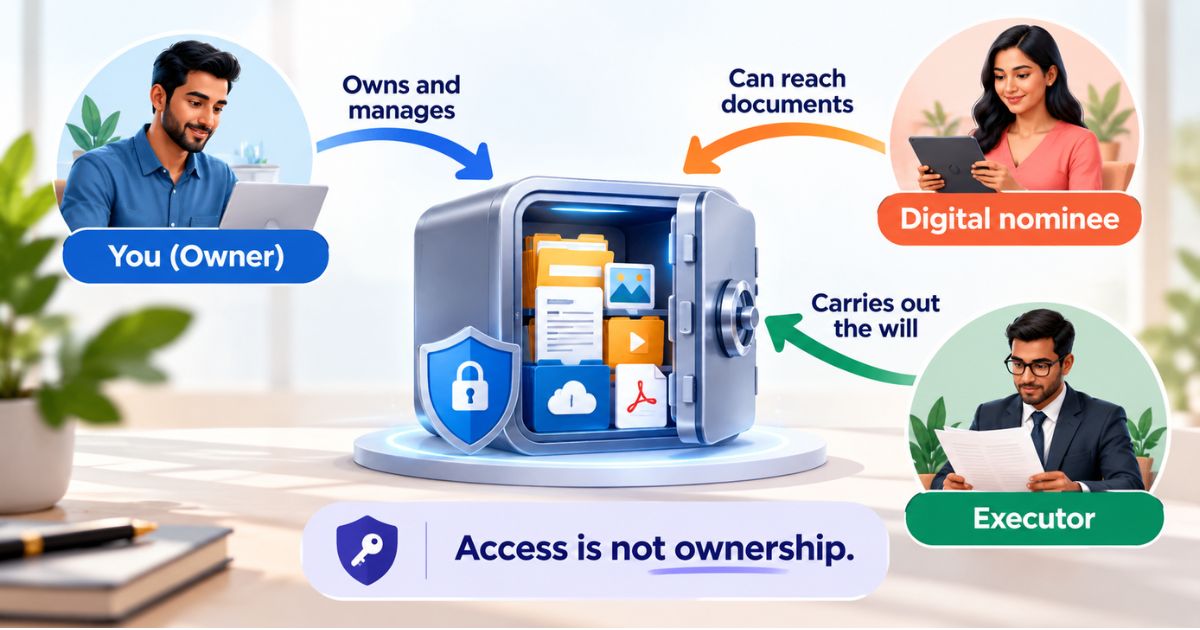
Pair it with Nominee & Executor Access, which lets you choose the people who can reach these documents if you are not available. It does not replace a will or a legal nomination. Those have their own rules, so check with a qualified professional.
You can learn more about Nexa Life Vault on the homepage, or see everything it offers on the features page.
Conclusion
So, what is a digital vault? It is a safer, tidier home for the papers your family would struggle without. Start small this week: add your ID proofs, insurance policies and property papers, then build from there. Ten quiet minutes now can save hours of panic later. Explore the 12 Vaults.
This is general information, not legal, tax or financial advice.
Shailesh Nagar
Cloud Infrastructure & Security Contributor
Technology specialist at NexaLifeVault focusing on cloud infrastructure, data resilience protocols, and modern digital asset management.
Share this post
Comments (0)
No comments yet. Be the first to comment!