Online Account Management Tips for Better Security
Learn practical online account management tips to keep your accounts secure, organized, and easy to access. Protect personal information and reduce security risks with simple best practices.
Most people use dozens of online accounts every day without realizing it. Email accounts, banking apps, social media profiles, shopping websites, cloud storage platforms, streaming services, and work-related tools all contain valuable personal information.
As the number of online accounts grows, managing them effectively becomes increasingly important. Poor account management can lead to security risks, forgotten credentials, unauthorized access, and even identity theft.
Following simple online account management tips can help you stay organized, improve security, and maintain better control over your digital life.
In this guide, you'll learn why account management matters, common mistakes to avoid, and practical strategies for protecting and organizing your online accounts.
Why Managing Online Accounts Is Important
Online accounts have become an essential part of modern life. From personal communication and financial transactions to cloud storage and business operations, many important activities depend on secure account access.
Without proper management, online accounts can become difficult to track, increasing the risk of security problems and lost access.
Protects Personal Information
Many online accounts contain sensitive information such as contact details, financial records, personal documents, and private communications.
Proper account management helps reduce the risk of unauthorized access and keeps important information protected from cybercriminals.
Reduces the Risk of Identity Theft
Cybercriminals often target poorly secured accounts to steal personal information or gain access to additional services.
Managing your accounts properly, using strong security settings, and monitoring account activity can help reduce the risk of identity theft and fraud.
Improves Account Security
Good account management includes maintaining strong passwords, enabling multi-factor authentication, updating recovery information, and reviewing account activity regularly.
These security measures make it more difficult for unauthorized users to gain access to your accounts.
For additional password protection strategies, read our guide on Manage Passwords Securely.
Helps Organize Your Digital Life
Many people create accounts over the years and eventually forget which services they use. As a result, inactive accounts, duplicate accounts, and outdated login information can accumulate.
Maintaining an organized account system helps you:
- Track important services
- Manage subscriptions efficiently
- Update security settings regularly
- Reduce unnecessary account exposure
- Access information more easily
Supports Digital Asset Protection
Many valuable digital assets are connected directly to online accounts. Cloud storage, financial platforms, email services, and business systems often contain information that deserves strong protection.
Understanding which assets require additional security can help you prioritize account protection efforts. Learn more in our guide on Digital Assets You Should Protect.
Provides Better Access During Emergencies
Properly managed accounts make it easier to recover information if a device is lost, credentials are forgotten, or unexpected issues occur.
Keeping recovery information current and maintaining secure records of important accounts can significantly improve account recovery success.
Effective online account management is not just about security—it's also about maintaining control, improving organization, and ensuring continued access to the digital services you rely on every day.
Common Online Account Management Mistakes to Avoid
Many online security problems are not caused by sophisticated cyberattacks but by simple account management mistakes. Small oversights can increase security risks and make it easier for unauthorized users to gain access to important accounts.
Understanding these common mistakes can help you improve account security and maintain better control over your digital information.
Reusing the Same Password Across Multiple Accounts
One of the most common account management mistakes is using the same password for multiple websites and services.
If one account is compromised, attackers may attempt to use the same credentials to access your other accounts. This can create a chain reaction that affects multiple services.
Using unique passwords for every important account significantly reduces this risk.
Ignoring Inactive or Unused Accounts
Over time, most people create accounts they no longer use. These inactive accounts often remain connected to personal information, payment methods, or outdated contact details.
Unused accounts can become security risks if they are forgotten and left unmonitored.
Regularly reviewing and removing unnecessary accounts helps reduce your digital footprint and limits potential vulnerabilities.
Not Enabling Multi-Factor Authentication (MFA)
Many online services offer multi-factor authentication, yet users often ignore this valuable security feature.
MFA adds an additional layer of protection by requiring a second verification step before account access is granted.
Even if a password is stolen, MFA can help prevent unauthorized access.
Using Outdated Recovery Information
Account recovery options are essential when passwords are forgotten or accounts become inaccessible.
Common problems include:
- Old email addresses
- Inactive phone numbers
- Outdated security questions
- Missing recovery methods
Keeping recovery information current improves the chances of successfully restoring account access during emergencies.
Poor Account Organization
Many users have dozens of online accounts spread across multiple devices and services. Without proper organization, it becomes difficult to track account ownership, security settings, and subscription details.
This can lead to:
- Forgotten accounts
- Missed security updates
- Duplicate accounts
- Subscription management issues
- Difficulty recovering access
A simple account inventory can make account management much easier.
Failing to Monitor Account Activity
Most online services provide login history, device management tools, and security notifications. Unfortunately, many users never review this information.
Monitoring account activity can help identify:
- Unauthorized logins
- Unknown devices
- Suspicious account changes
- Unexpected password resets
Early detection allows you to respond quickly before serious damage occurs.
Not Protecting Connected Digital Assets
Many online accounts provide access to valuable digital assets such as cloud storage, financial records, personal documents, and business information.
If these accounts are not managed properly, sensitive files may become vulnerable to unauthorized access.
To better understand what information deserves the highest level of protection, read our guide on Digital Assets You Should Protect.
Avoiding these common mistakes can significantly improve account security and help you maintain better control over your online presence. In the next section, we'll explore practical online account management tips that can help keep your accounts organized and secure.
Best Online Account Management Tips for Better Security
Managing online accounts doesn't have to be complicated. A few simple habits can make a significant difference in protecting your personal information, improving account security, and reducing the risk of unauthorized access.
Whether you manage a handful of accounts or dozens of online services, following proven account management practices can help you stay organized and maintain better control over your digital life.
Use a Password Manager
One of the easiest ways to improve account security is by using a password manager. These tools help generate, store, and organize strong passwords for multiple accounts.
Instead of trying to remember dozens of unique passwords, you only need to remember one secure master password.
Benefits of password managers include:
- Secure password storage
- Strong password generation
- Reduced password reuse
- Faster login management
- Improved account organization
Enable Multi-Factor Authentication (MFA)
Multi-factor authentication adds an additional layer of protection to your accounts.
Even if someone obtains your password, MFA requires a second verification step before access is granted.
Important accounts that should always have MFA enabled include:
- Email accounts
- Banking and financial services
- Cloud storage platforms
- Business applications
- Social media accounts
This simple security measure can dramatically reduce the risk of account compromise.
Review Account Activity Regularly
Many online platforms provide account activity logs that show login history, connected devices, and recent security events.
Checking this information periodically can help you identify suspicious activity before it becomes a major problem.
Watch for:
- Unknown login locations
- Unrecognized devices
- Unexpected password changes
- Unauthorized account activity
Regular monitoring helps improve awareness and strengthens overall account security.
Keep Recovery Information Updated
Recovery options play a critical role when you need to regain access to an account.
Make sure important accounts have:
- Current recovery email addresses
- Updated phone numbers
- Backup authentication methods
- Securely stored recovery codes
Accurate recovery information can save significant time and frustration if account access problems occur.
Organize Your Most Important Accounts
Not all accounts have the same level of importance. Prioritizing critical accounts allows you to focus security efforts where they matter most.
Examples of high-priority accounts include:
- Email accounts
- Financial services
- Cloud storage platforms
- Business applications
- Government service accounts
- Healthcare portals
These accounts often provide access to sensitive information and should receive additional security attention.
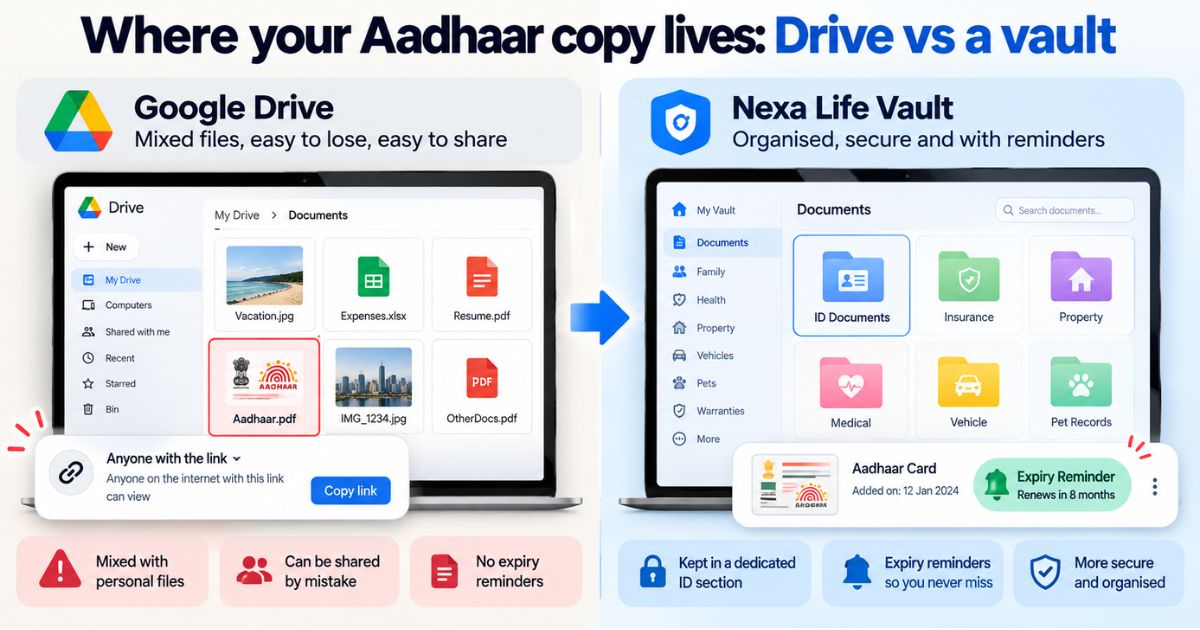
Maintain Secure Access to Cloud-Based Services
Cloud platforms often store documents, photos, backups, and other valuable information. Managing access to these services is an important part of account security.
Good practices include:
- Reviewing file-sharing permissions
- Monitoring connected devices
- Using secure passwords
- Enabling MFA
- Removing outdated access permissions
Following proper cloud security practices helps protect both accounts and the information stored within them. For additional guidance, read our article on Cloud Storage Best Practices.
By following these practical account management tips, you can improve security, reduce risks, and make it easier to manage your growing digital presence.
Create a Simple Online Account Management System
Managing online accounts becomes easier when you follow a structured approach. Instead of reacting to security issues after they occur, a simple account management system helps you stay organized, maintain security, and keep important information accessible.
You don't need complex software or technical expertise to create an effective system. A few consistent habits can help you manage accounts more efficiently and reduce unnecessary risks.
Perform Regular Account Reviews
Online accounts should be reviewed periodically to ensure they remain secure and up to date.
During an account review, consider checking:
- Password strength
- Multi-factor authentication settings
- Recovery information
- Connected devices
- Recent login activity
- Third-party app permissions
Regular reviews help identify security issues before they become serious problems.
Remove Unused Accounts
Many people accumulate online accounts over the years that are no longer needed. These inactive accounts often contain personal information and may still have access to payment methods or connected services.
Removing unnecessary accounts helps:
- Reduce security risks
- Minimize your digital footprint
- Simplify account management
- Decrease exposure to future data breaches
If an account is no longer useful, consider deleting it or removing any stored personal information.
Maintain Secure Records of Important Accounts
Keeping track of critical accounts can make account recovery much easier during emergencies.
Important information may include:
- Primary email accounts
- Financial services
- Cloud storage platforms
- Business applications
- Government service accounts
- Healthcare portals
Maintaining secure records of these accounts helps ensure you can quickly regain access if problems occur.
Protect Your Backups and Recovery Information
Account recovery details are often just as important as passwords. Recovery codes, backup authentication methods, and emergency access information should be stored securely.
Creating secure backup copies of important recovery information can help prevent permanent account lockouts.
Stay Aware of Security Changes
Online services regularly introduce new security features and account protection tools. Staying informed about these updates can help you improve security and take advantage of stronger protection options.
Consider reviewing security settings whenever major platform updates occur or when new protection features become available.
Make Digital Security a Habit
Effective account management is not a one-time task. It is an ongoing process that requires periodic attention and good security habits.
Simple actions such as reviewing accounts, updating passwords, monitoring activity, and maintaining backups can significantly reduce risks over time.
When combined with strong password management, cloud security practices, and digital asset protection, these habits create a stronger foundation for long-term digital security.
Conclusion
Managing online accounts effectively is one of the most important steps you can take to protect your digital life. As the number of online services continues to grow, maintaining secure and organized accounts becomes increasingly important.
By following practical online account management tips, such as using strong passwords, enabling multi-factor authentication, reviewing account activity, maintaining recovery information, and removing unused accounts, you can significantly improve both security and organization.
Small improvements made consistently over time can help protect personal information, reduce security risks, and ensure continued access to the online services you rely on every day.
For more resources on protecting online accounts, digital files, and valuable information, visit our Digital Vault page.
Frequently Asked Questions
cmp6hs57y000oc2bxnj5buqzv
Editorial Contributor
Author and technology contributor at NexaLifeVault.
Share this post
Comments (0)
No comments yet. Be the first to comment!