Manage Passwords Securely: Best Practices to Protect Your Online Accounts
Learn how to manage passwords securely with practical tips, strong password strategies, and multi-factor authentication. Protect your online accounts, personal information, and digital assets from security threats.
Think about how many online accounts you use every day. Email, banking apps, social media, cloud storage, shopping websites, and work platforms all require passwords. If even one of these accounts is compromised, it can put your personal information, financial data, and digital assets at risk.
That's why learning how to manage passwords securely has become one of the most important steps in protecting your digital life. Unfortunately, many people still use weak passwords, reuse the same password across multiple accounts, or store login credentials in unsafe places. These habits make it easier for cybercriminals to gain access to sensitive information.
The good news is that password security doesn't have to be complicated. By following a few simple best practices, you can significantly reduce the risk of account breaches and identity theft. Whether you're protecting personal accounts or managing business logins, a strong password strategy can make a huge difference.
In this guide, you'll learn why password security matters, common mistakes to avoid, and practical steps you can take to keep your online accounts safe.
Strong passwords are a key part of account security, but effective account management goes beyond passwords alone. Learn how to organize, monitor, and protect your online accounts in our guide on Online Account Management Tips for Better Security.
Understanding Password Security
Passwords are often the first line of defense between your personal information and cybercriminals. Every online account you create contains valuable data, whether it's personal emails, financial information, business documents, or private files. A strong password helps prevent unauthorized access and keeps your information secure.
Many people underestimate the importance of password security until they experience a security incident. Unfortunately, a single weak password can sometimes give attackers access to multiple accounts, especially when the same password is used across different platforms.
As our lives become increasingly digital, password security is no longer just an IT concern. It's an essential part of protecting your identity, finances, and digital assets.
What Makes a Password Secure?
A secure password is difficult for others to guess and challenging for automated hacking tools to crack. While there is no perfect password, certain characteristics can significantly improve security.
Strong passwords typically:
-
Contain at least 12–16 characters
-
Use a combination of letters, numbers, and symbols
-
Avoid common words and predictable patterns
-
Are unique for each account
-
Do not contain personal information
For example, a password such as "Password123" can be cracked very quickly, while a longer and more unique passphrase is much more difficult to compromise.
Many security experts now recommend using memorable passphrases instead of short, complex passwords. A passphrase made up of unrelated words is often easier to remember and harder for attackers to guess.
Common Password Mistakes People Make
Even people who understand the importance of cybersecurity often develop password habits that create unnecessary risks. Recognizing these mistakes is the first step toward better protection.
Using the Same Password Everywhere
One of the most common mistakes is reusing passwords across multiple accounts. If a hacker gains access to one account, they may try the same credentials on other websites and services.
This can quickly lead to multiple account compromises from a single security breach.
Choosing Weak Passwords
Simple passwords such as "123456," "password," or a pet's name remain surprisingly common. While these passwords may be easy to remember, they are also easy for attackers to guess.
Cybercriminals often use automated tools that can test thousands of common passwords within seconds.
Sharing Passwords with Others
Sharing passwords through messages, emails, or written notes can increase security risks. Even trusted individuals may accidentally expose login credentials.
Whenever possible, use secure sharing methods or access management tools instead of sharing passwords directly.
Writing Passwords in Unsafe Places
Keeping passwords on sticky notes, unsecured spreadsheets, or unprotected documents can make sensitive accounts vulnerable to unauthorized access.
If passwords must be stored, they should be kept in a secure password manager designed specifically for this purpose.
Risks of Poor Password Management
Weak password practices can have serious consequences for both individuals and businesses.
Some of the most common risks include:
-
Identity theft
-
Financial fraud
-
Unauthorized account access
-
Loss of sensitive information
-
Business data breaches
-
Reputation damage
For businesses, a compromised account can expose confidential documents, customer information, and internal systems. For individuals, it may result in stolen personal data, fraudulent transactions, or loss of access to important accounts.
Password security may seem like a small detail, but it plays a major role in protecting everything connected to your digital life. Taking the time to build better password habits today can help prevent significant problems in the future.
Strong passwords are an important part of online security, but they should be combined with secure file storage practices. If you store important documents, personal records, or business files online, following proper cloud security measures can provide additional protection. Learn more in our guide on Cloud Storage Best Practices: Keep Your Files Safe Online.
Best Practices to Manage Passwords Securely
Now that you understand why password security matters, the next step is building habits that keep your accounts protected. The good news is that you don't need to be a cybersecurity expert to improve your online security. A few simple changes can dramatically reduce the risk of unauthorized access.
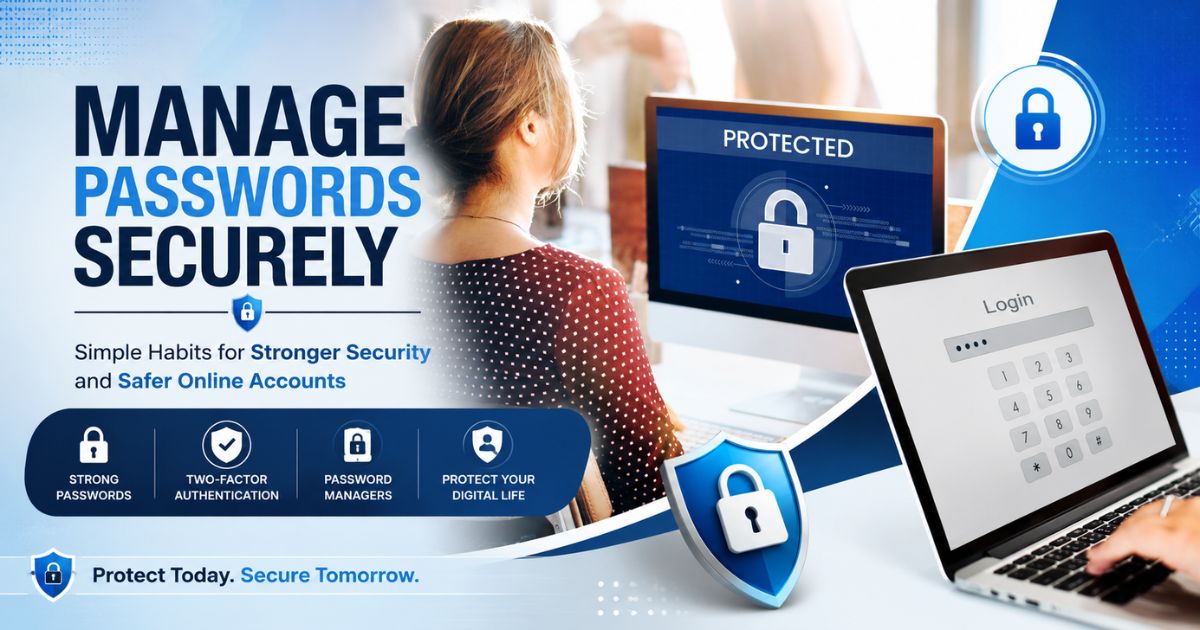
If your goal is to manage passwords securely, focus on creating strong passwords, avoiding common mistakes, and adding extra layers of protection wherever possible.
Use Long and Unique Passwords
One of the easiest ways to improve password security is to make your passwords longer. A longer password is generally more difficult for attackers to crack using automated tools.
Security experts often recommend using passwords that are at least 12 to 16 characters long. Whenever possible, create a unique password for every account.
Using different passwords ensures that if one account is compromised, your other accounts remain protected.
For example, your email, banking, cloud storage, and social media accounts should all have separate passwords.
Avoid Predictable Information
Many people create passwords using information that is easy to remember, such as names, birthdays, anniversaries, or phone numbers. Unfortunately, this information is often easy for cybercriminals to discover through social media profiles or public records.
Try to avoid using:
-
Your name or family members' names
-
Birthdates
-
Phone numbers
-
Pet names
-
Simple number sequences
-
Common words and phrases
The less predictable your password is, the more secure it becomes.
Use Passphrases Instead of Simple Passwords
A passphrase is a combination of unrelated words that creates a longer and more memorable password.
For example, instead of using a short password that is difficult to remember, a passphrase can provide both security and convenience.
Passphrases are often easier to recall because they resemble a phrase or sentence, while still being difficult for attackers to guess.
Adding numbers or symbols can provide an additional layer of protection without making the password overly complicated.
Change Compromised Passwords Immediately
If you receive a security alert, notice suspicious account activity, or learn that a website you use has experienced a data breach, update your password as soon as possible.
Delaying password changes increases the risk of unauthorized access and potential data loss.
When changing a compromised password:
-
Create a completely new password
-
Avoid making small variations of the old password
-
Update any similar passwords used elsewhere
-
Review account activity for suspicious actions
Quick action can help prevent a minor security issue from becoming a major problem.
Enable Multi-Factor Authentication (MFA)
Even strong passwords can sometimes be compromised. That's why many security professionals recommend enabling Multi-Factor Authentication (MFA).
MFA adds an additional verification step when logging into an account. In addition to your password, you may need to enter a temporary code sent to your phone, email, or authentication app.
This extra layer of protection makes it much more difficult for attackers to gain access, even if they discover your password.
Whenever MFA is available, especially for email, banking, cloud storage, and business accounts, it should be enabled.
Be Careful When Using Public Devices and Networks
Logging into important accounts from public computers or unsecured Wi-Fi networks can increase security risks.
If you must access sensitive accounts while traveling or working remotely, use secure networks and avoid saving passwords on shared devices.
Always sign out of accounts after use and clear saved login information when using devices that do not belong to you.
Protect Your Digital Assets
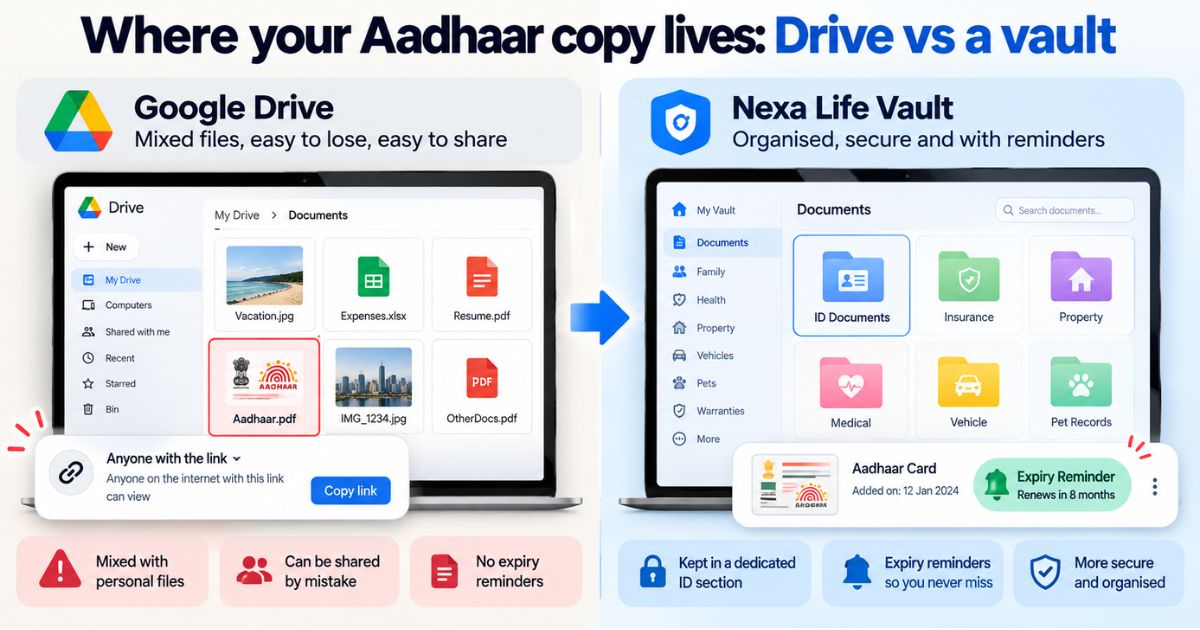
Your passwords protect much more than just login screens. They secure access to important digital assets such as personal documents, financial records, cloud storage accounts, photos, business files, and online subscriptions.
As more valuable information moves online, protecting these digital assets becomes increasingly important. A strong password strategy is one of the simplest and most effective ways to reduce risk and maintain control over your digital life.
In the next section, we'll explore how password managers can help you securely store, organize, and manage login credentials across multiple accounts.
Password Managers and Secure Storage
As the number of online accounts continues to grow, remembering dozens of strong and unique passwords can become difficult. Many people eventually fall into the habit of reusing passwords or creating simpler passwords that are easier to remember but less secure.
This is where password managers can help. A password manager is a tool designed to securely store, organize, and protect your login credentials while making it easier to access your accounts when needed.
For anyone trying to manage passwords securely, a password manager can be one of the most effective security tools available.
What Is a Password Manager?
A password manager is a secure application that stores your usernames, passwords, and other sensitive login information in an encrypted vault. Instead of remembering dozens of passwords, you only need to remember one strong master password.
When you log in to websites or apps, the password manager can automatically fill in your credentials, reducing the need to type or memorize complex passwords.
This allows you to create stronger and more unique passwords without worrying about remembering each one individually.
Benefits of Using a Password Manager
Password managers offer several advantages that improve both security and convenience.
-
Store passwords securely in one place
-
Generate strong and unique passwords
-
Reduce password reuse across accounts
-
Save time during login processes
-
Protect against common password-related mistakes
-
Help identify weak or duplicate passwords
By using a password manager, you can strengthen account security while simplifying daily account management.
Choosing the Right Password Manager
Not all password managers offer the same features. Before selecting one, consider your personal or business requirements.
Look for features such as:
-
Strong encryption
-
Multi-factor authentication support
-
Cross-device synchronization
-
Secure password sharing
-
Backup and recovery options
-
Security alerts and breach monitoring
The right solution should balance security, ease of use, and accessibility.
If you manage multiple online accounts, selecting a trusted password manager can significantly improve your overall digital security.
Store Recovery Information Safely
Many online accounts provide recovery codes or backup access methods that can help you regain access if you forget your password or lose access to your authentication device.
These recovery codes are extremely important and should be stored securely.
Consider keeping recovery information in:
-
A secure password manager
-
An encrypted digital vault
-
A secure offline location
-
A protected backup system
Losing recovery information can make it difficult or even impossible to regain access to certain accounts.
Protect Your Most Valuable Digital Assets
Many people focus on securing email and social media accounts but overlook other valuable digital assets. Cloud storage, financial accounts, digital subscriptions, business files, online portfolios, and important personal documents often contain sensitive information that deserves equal protection.
Your password strategy should prioritize accounts that provide access to critical digital assets. A compromised cloud storage account, for example, could expose personal documents, financial records, family information, or business files.
Understanding which digital assets require the highest level of protection is an important part of building a strong security foundation.
Managing Shared Access Securely
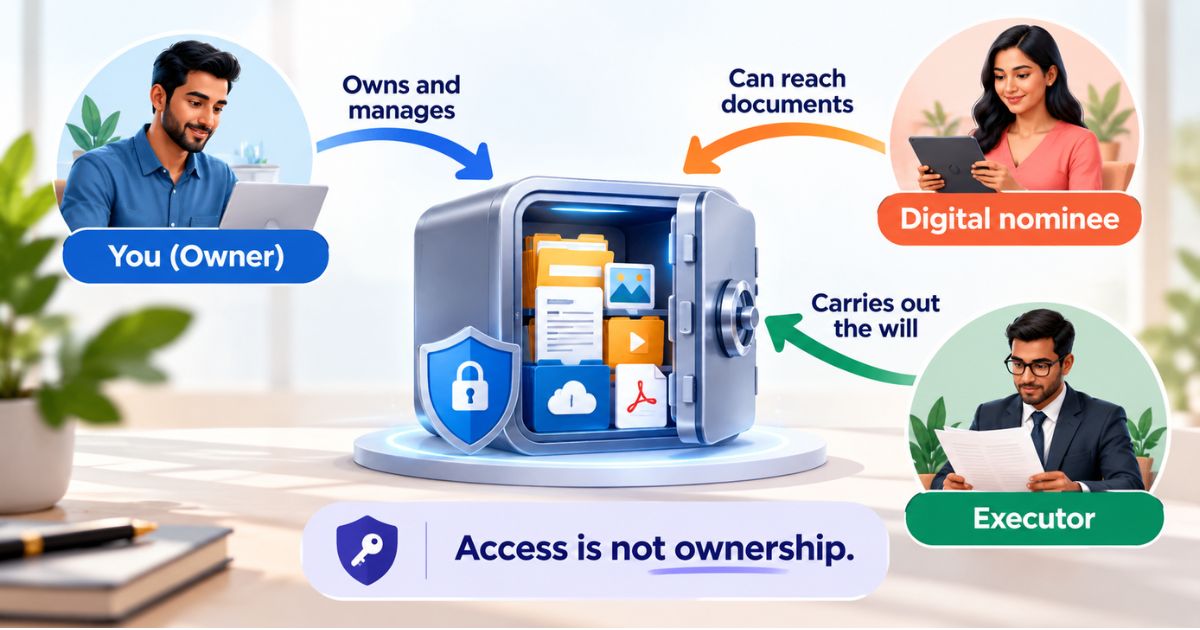
Families and businesses sometimes need to share access to certain accounts. However, sharing passwords through email, messaging apps, or written notes can create security risks.
Whenever possible, use secure sharing features offered by password managers. These tools allow authorized users to access credentials without exposing the actual password.
This approach improves security while maintaining appropriate access for trusted individuals or team members.
Think Beyond Passwords
While passwords remain an important part of account security, they should be viewed as one layer of protection rather than the only defense. Strong passwords combined with password managers, multi-factor authentication, secure storage practices, and regular security reviews create a much stronger security posture.
Building these habits now can help protect your digital identity, personal information, and valuable online assets for years to come.
In the next section, we'll explore how to develop long-term password security habits that help you stay protected as your digital life continues to grow.
Even the strongest passwords cannot protect your information if important files are lost due to hardware failures, accidental deletion, or cyberattacks. Learn how to create a reliable backup strategy in our guide on Backup Your Important Digital Files.
Building Long-Term Password Security Habits
Password security is not something you set up once and forget. As technology evolves and cyber threats become more sophisticated, maintaining secure accounts requires ongoing attention. The good news is that a few simple habits can help you stay protected without adding much complexity to your daily routine.
If you want to continue to manage passwords securely, focus on creating a long-term security strategy rather than relying on a single password update or security tool.
Review Your Password Security Regularly
Many people create passwords and never think about them again. However, accounts, devices, and security risks change over time.
Set aside time every few months to review your most important accounts and ensure they remain protected.
During a security review, consider:
-
Checking for weak or reused passwords
-
Verifying multi-factor authentication settings
-
Removing access to unused applications
-
Reviewing account recovery options
-
Updating outdated security information
Regular reviews help identify potential risks before they become serious problems.
Monitor for Data Breaches
Even if you follow best practices, websites and online services can sometimes experience security breaches. When this happens, user credentials may be exposed without the account owner's knowledge.
If you receive a notification that one of your accounts may have been affected by a breach, act quickly.
Recommended steps include:
-
Changing the affected password immediately
-
Updating similar passwords used elsewhere
-
Enabling multi-factor authentication if not already active
-
Reviewing account activity for suspicious behavior
Taking immediate action can help prevent attackers from using compromised credentials.
Keep Personal and Business Accounts Separate
Many people use the same devices and browsers for both personal and professional activities. While convenient, this can create unnecessary security risks.
Whenever possible, maintain separate passwords and account management practices for personal and business accounts.
This separation helps reduce the impact of a security incident and makes account management more organized.
Educate Family Members and Team Members
Password security is often only as strong as the people using the accounts. A single weak password or phishing mistake can expose valuable information.
Families should teach children and other household members basic password safety practices. Businesses should provide regular cybersecurity awareness training for employees.
Important topics include:
-
Creating strong passwords
-
Recognizing phishing attempts
-
Avoiding suspicious links
-
Protecting recovery codes
-
Using password managers responsibly
Building awareness across all users strengthens overall security.
Prepare for Account Recovery
At some point, you may forget a password, lose access to an authentication device, or encounter an account lockout. Preparing for these situations in advance can save significant time and frustration.
Make sure important accounts have:
-
Updated recovery email addresses
-
Verified phone numbers
-
Securely stored recovery codes
-
Backup authentication methods
Having a recovery plan ensures you can regain access quickly when unexpected issues arise.
Protect Your Digital Vault
Your passwords often provide access to some of your most valuable digital assets, including financial records, personal documents, cloud storage accounts, business files, photos, and online services. Protecting these accounts should be a priority.
A secure password strategy works best when combined with proper organization and secure storage of important digital information. Strong passwords, multi-factor authentication, password managers, and secure backups all work together to create a safer digital environment.
For more resources on protecting important online accounts, files, and digital records, visit our Digital Vault page.
Strong passwords are only one part of online security. It's equally important to identify and protect the valuable information connected to your accounts, such as email, cloud storage, financial records, and personal documents. Learn more in our guide on Digital Assets You Should Protect.
Conclusion
Learning how to manage passwords securely is one of the simplest and most effective ways to protect your digital life. Strong passwords help prevent unauthorized access, reduce the risk of identity theft, and safeguard valuable personal and business information.
By using unique passwords, enabling multi-factor authentication, adopting a trusted password manager, and following good security habits, you can significantly strengthen your online security.
Remember that password protection is not a one-time task. Regular reviews, ongoing awareness, and proactive security measures are essential for staying ahead of evolving cyber threats.
The small steps you take today can help protect your accounts, digital assets, and personal information for years to come.
Frequently Asked Questions
cmp6hs57y000oc2bxnj5buqzv
Editorial Contributor
Author and technology contributor at NexaLifeVault.
Share this post
Comments (0)
No comments yet. Be the first to comment!